Install Percona Everest using the Quick-Install script
Procedure
As soon as you create a Kubernetes cluster on Amazon Elastic Kubernetes Service (EKS) or Google Kubernetes Engine (GKE), you can install Percona Everest.
For more information, see the Prerequisites section.
Before you start
Before running the commands in the Installation section, note that Everest will search for the kubeconfig file in the ~/.kube/config path. If your file is located elsewhere, use the export command below to set the KUBECONFIG environment variable:
export KUBECONFIG=~/.kube/config
Installation
-
To install Percona Everest, run the following command:
$ curl -sfL "https://raw.githubusercontent.com/percona/percona-everest-cli/v0.7.0/install.sh" | bashExpected output
Downloading the latest release of Percona Everest CLI https://github.com/percona/percona-everest-cli/releases/download/v0.7.0/everestctl-linux-amd64 KUBECONFIG is not set. Using default k8s cluster Provisioning Everest with monitoring disabled If you want to enable monitoring please refer to the everest installation documentation. 2023-11-22T09:40:23Z info install/install.go:489 Creating namespace percona-everest {"component": "install/operators"} 2023-11-22T09:40:24Z info install/install.go:495 Namespace percona-everest has been created {"component": "install/operators"} 2023-11-22T09:40:24Z info install/install.go:501 Started provisioning the cluster {"component": "install/operators"} 2023-11-22T09:40:24Z info install/install.go:515 Installing Operator Lifecycle Manager {"component": "install/operators"} 2023-11-22T09:40:48Z info install/install.go:520 OLM has been installed {"component": "install/operators"} 2023-11-22T09:40:48Z info install/install.go:521 Installing Percona OLM Catalog {"component": "install/operators"} 2023-11-22T09:41:10Z info install/install.go:526 Percona OLM Catalog has been installed {"component": "install/operators"} 2023-11-22T09:41:10Z info install/install.go:581 Installing percona-xtradb-cluster-operator operator {"component": "install/operators"} 2023-11-22T09:41:35Z info install/install.go:597 percona-xtradb-cluster-operator operator has been installed {"component": "install/operators"} 2023-11-22T09:41:35Z info install/install.go:581 Installing percona-server-mongodb-operator operator {"component": "install/operators"} 2023-11-22T09:41:55Z info install/install.go:597 percona-server-mongodb-operator operator has been installed {"component": "install/operators"} 2023-11-22T09:41:55Z info install/install.go:581 Installing percona-postgresql-operator operator {"component": "install/operators"} 2023-11-22T09:42:18Z info install/install.go:597 percona-postgresql-operator operator has been installed {"component": "install/operators"} 2023-11-22T09:42:18Z info install/install.go:581 Installing everest-operator operator {"component": "install/operators"} 2023-11-22T09:43:08Z info install/install.go:597 everest-operator operator has been installed {"component": "install/operators"} 2023-11-22T09:43:08Z info install/install.go:205 Deploying Everest to percona-everest {"component": "install/operators"} 2023-11-22T09:43:21Z info install/install.go:211 Everest has been installed. Configuring connection {"component": "install/operators"} Your provisioned Everest instance will be available at http://127.0.0.1:8080 Exposing Everest using kubectl port-forwarding. You can expose it manually Forwarding from 127.0.0.1:8080 -> 8080 Forwarding from [::1]:8080 -> 8080 -
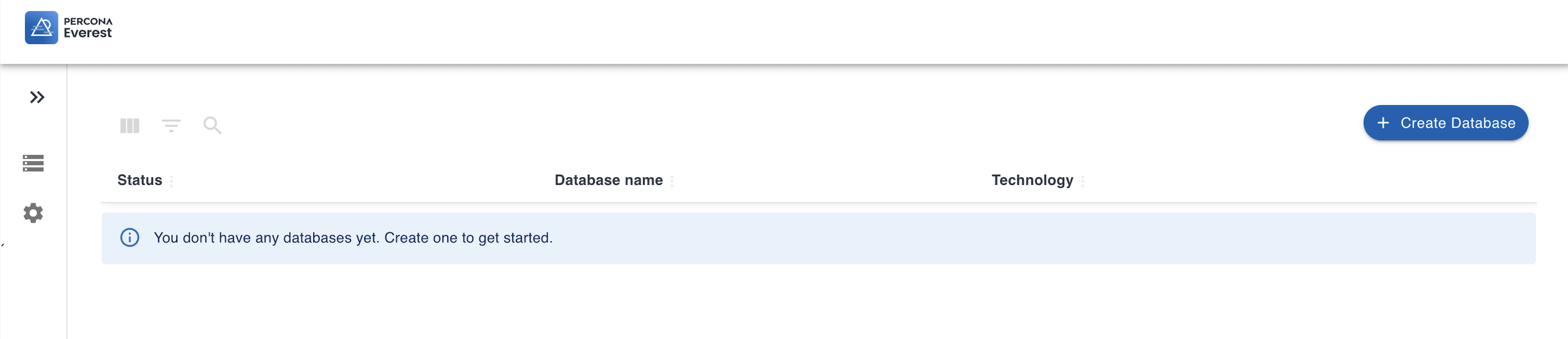
The Percona Everest app will be available at http://127.0.0.1:8080.
Now, you can open your browser and create databases in Percona Everest.
Video tutorial
You can also learn about installing Percona Everest via the Quick-Install script by following the video tutorial below:
Next steps
Get expert help
If you need assistance, visit the community forum for comprehensive and free database knowledge, or contact our Percona Database Experts for professional support and services.
