Features
Everything you need to run data
on your own Kubernetes.
Provision, scale, back up and observe databases, object storage and LLMs from one UI and API. Same workflow for every engine, on any cluster, and open to extend with your own providers and plugins.
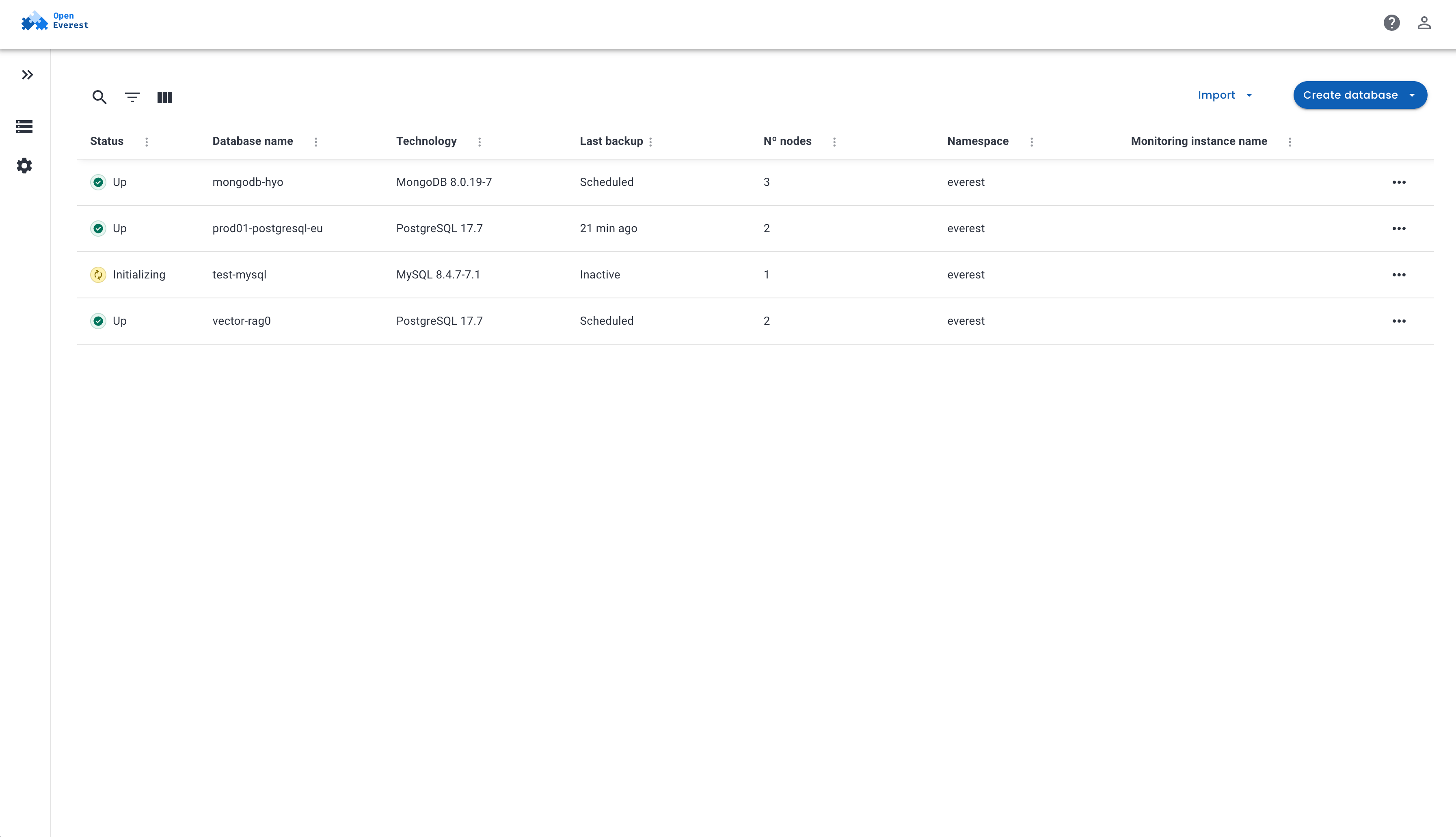
Provisioning
Production-ready in a few clicks
A guided wizard walks you through namespace, topology, version, resources, backups and advanced settings, with a live summary of exactly what you are about to create.
- Replica sets, sharded clusters and other topologies per engine
- Choose the engine version and provider for every instance
- Also available through the API and CLI for automation
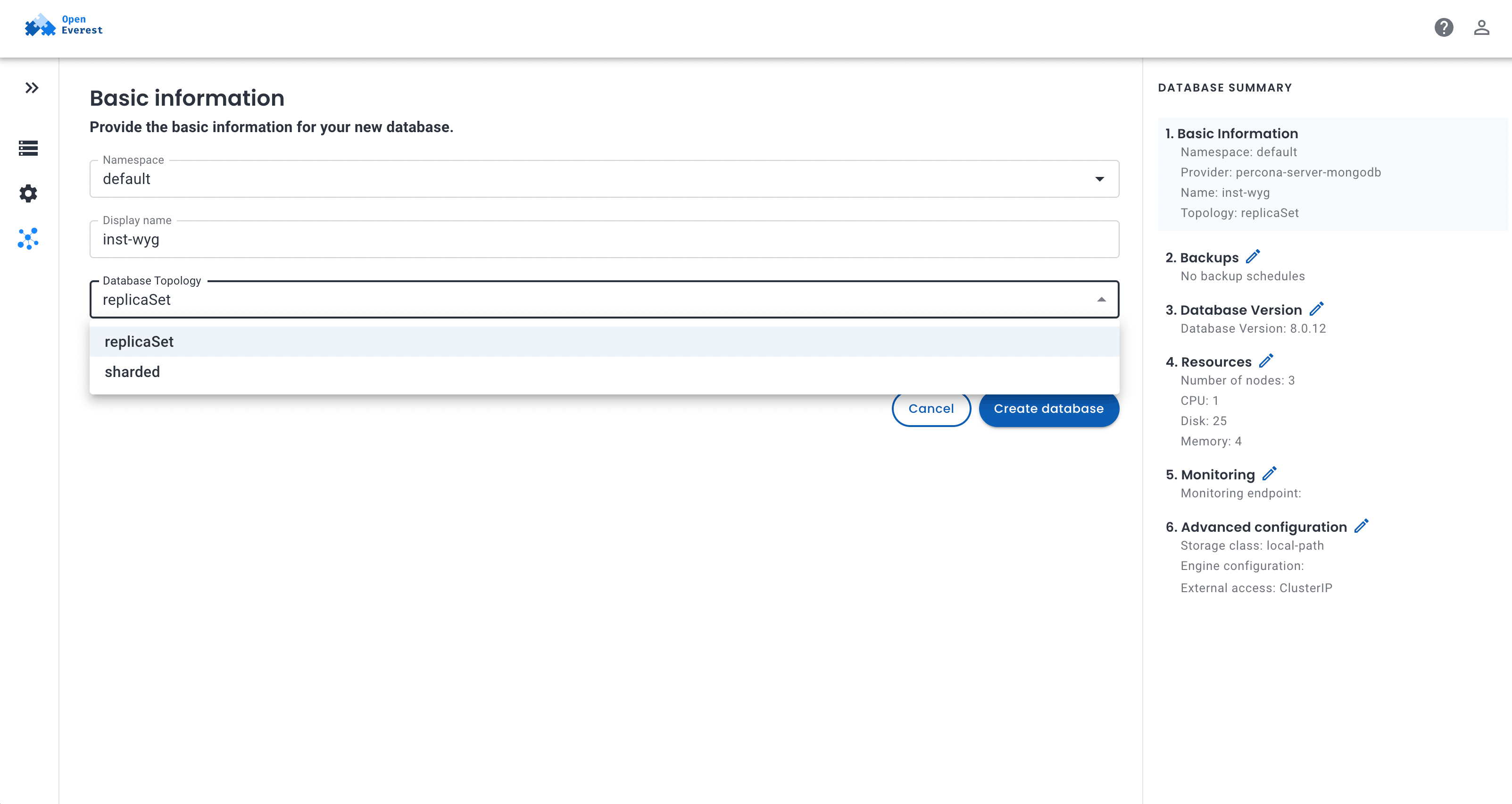
Scaling
Grow with your workload
Match the topology to your traffic. Add capacity horizontally or vertically without reprovisioning or migrating data.
- Add nodes, shards or replicas to spread load
- Adjust CPU and memory, in place on Kubernetes 1.35+
- Expand storage volumes when your data outgrows them
- Anti-affinity, zone spread and node selectors for resilience
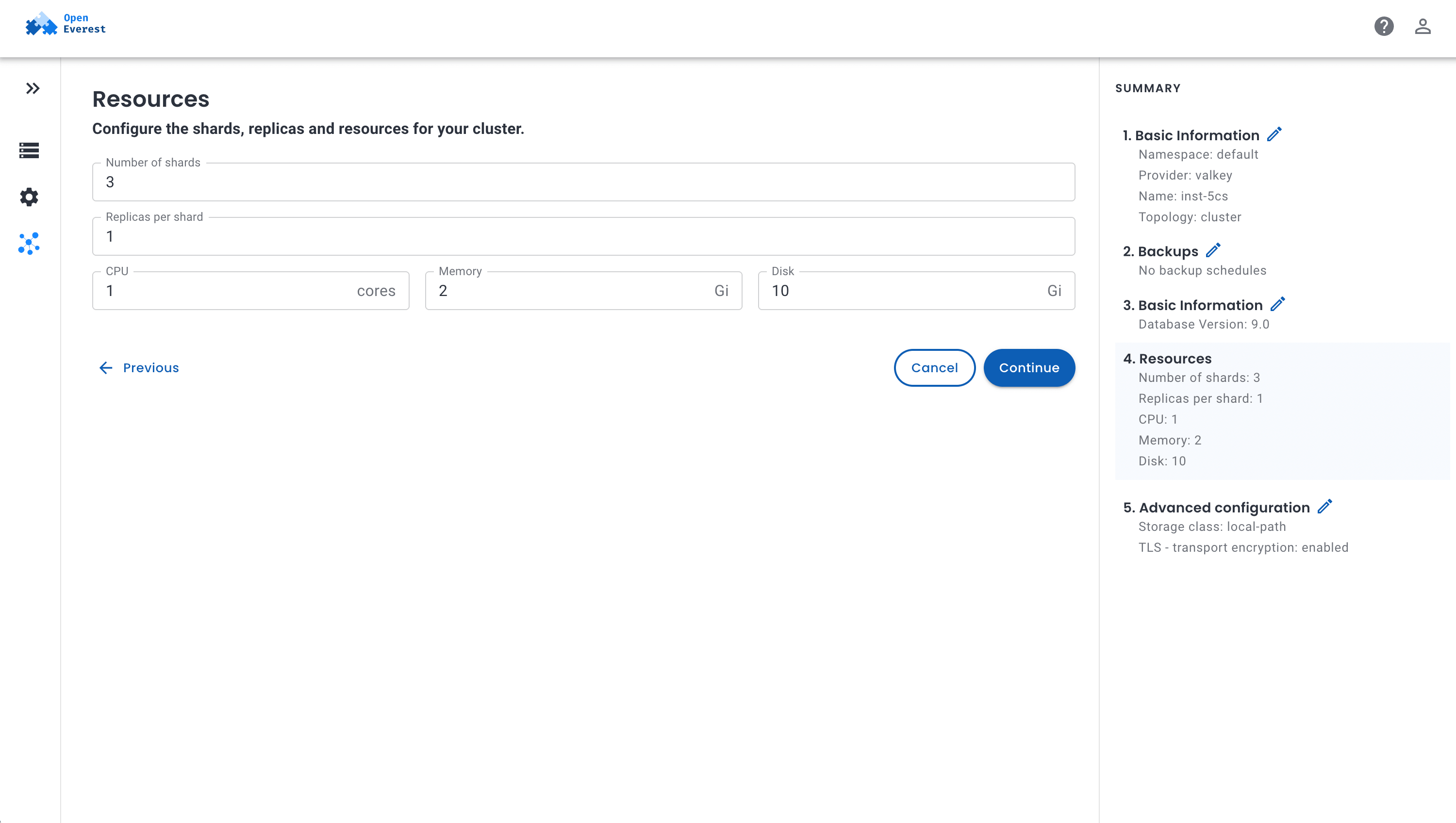
Backups & recovery
Backups you stop worrying about
Schedule backups to any S3-compatible storage, keep as many copies as you need, and restore to the exact moment before something went wrong.
- On-demand and scheduled backups with retention policies
- Point-in-time recovery within the retention window
- Spin up a new instance from any backup for staging or forensics
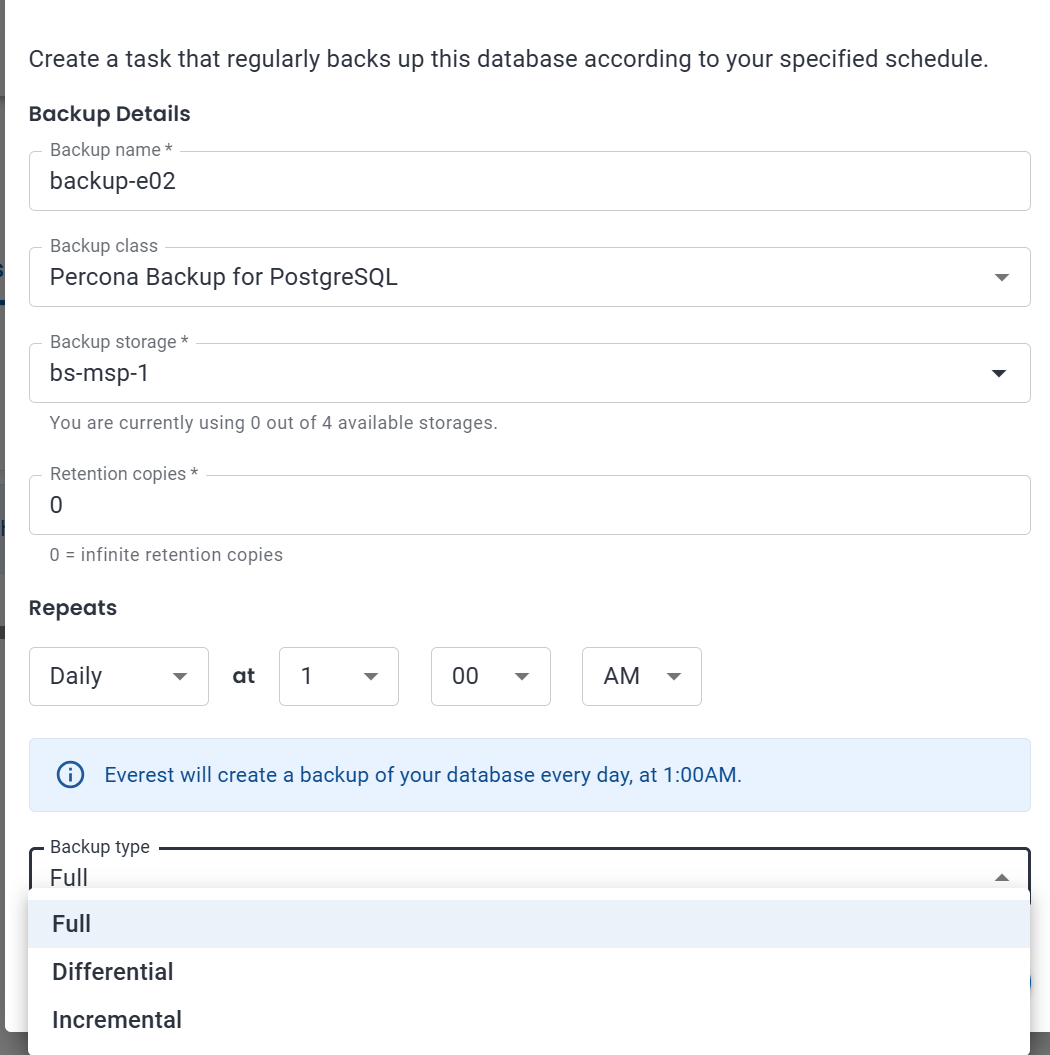
Visibility
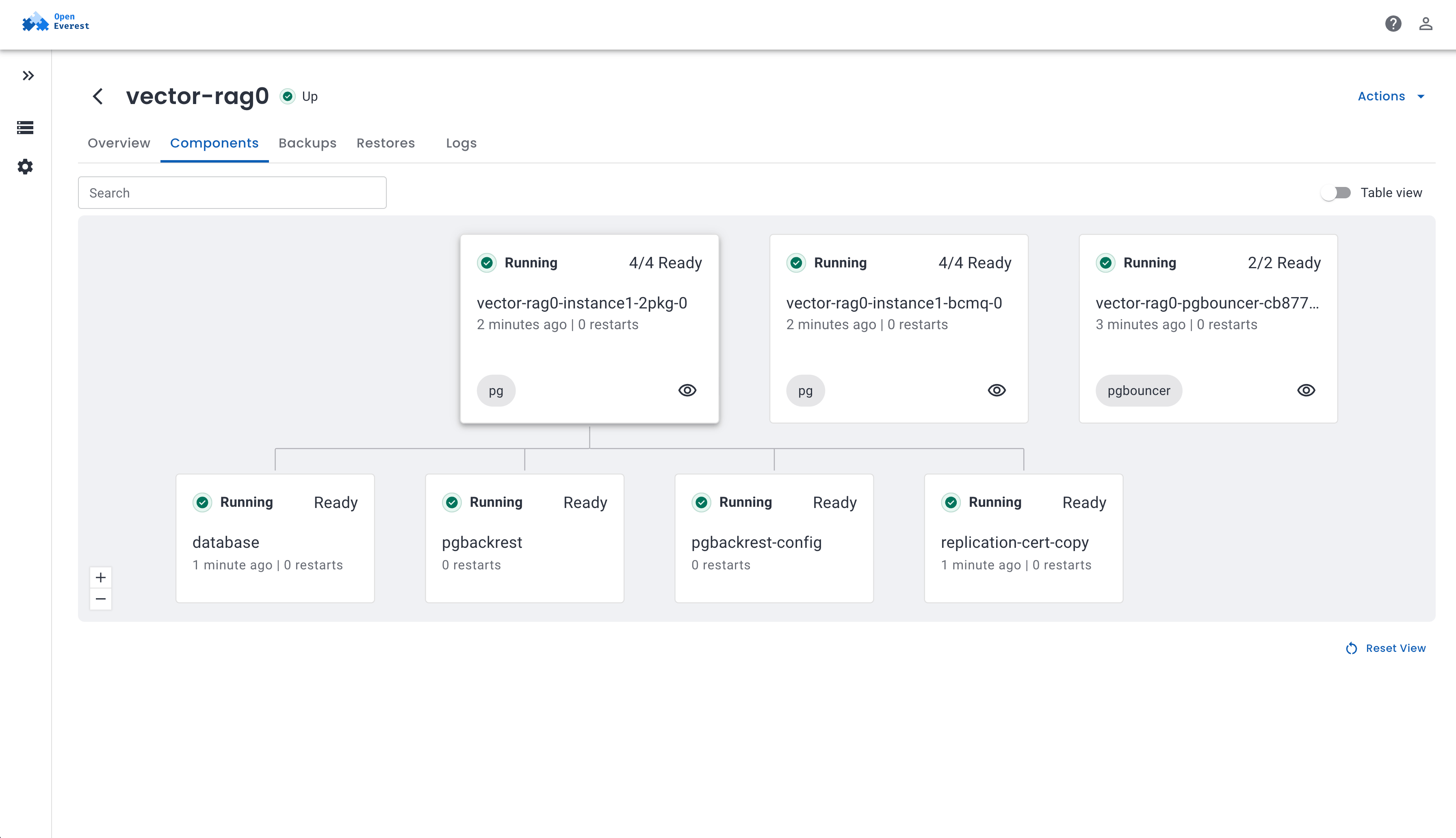
See inside every cluster
Explore proxies, pods and containers in an interactive topology view. Know what is running, where, and whether it is healthy, without reaching for kubectl.
- Status, connection details and topology at a glance
- Drill into every component of a cluster
- Plug metrics into the monitoring stack you already run
Troubleshooting
Debug without leaving the UI
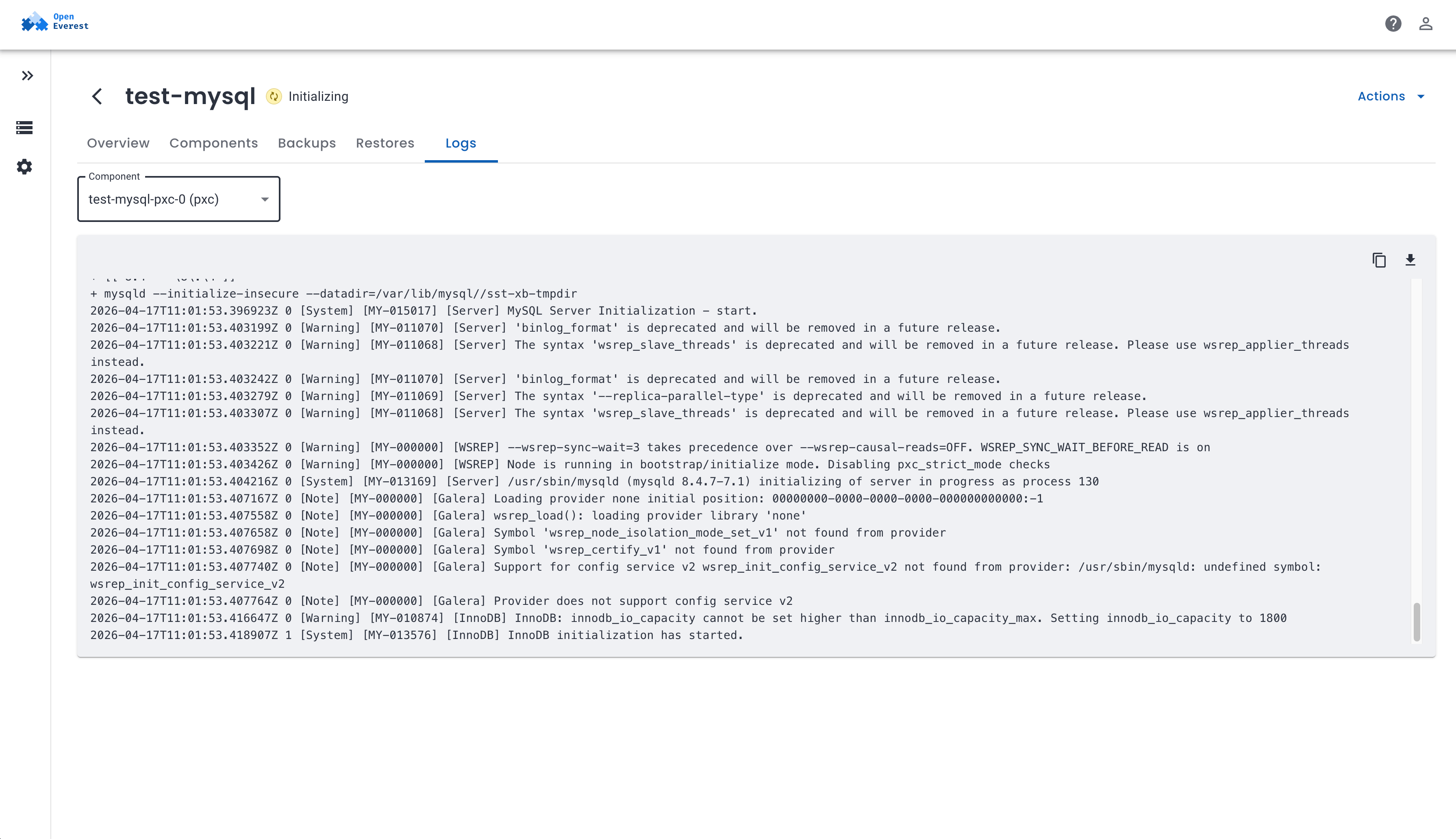
Stream and search pod logs for any component right inside OpenEverest. Find out why an instance is not ready in seconds, not in a terminal session.
- Pick any component and follow its logs live
- Search to the line that matters
- Copy or download logs to share with your team
Configuration
Tune everything, write no YAML
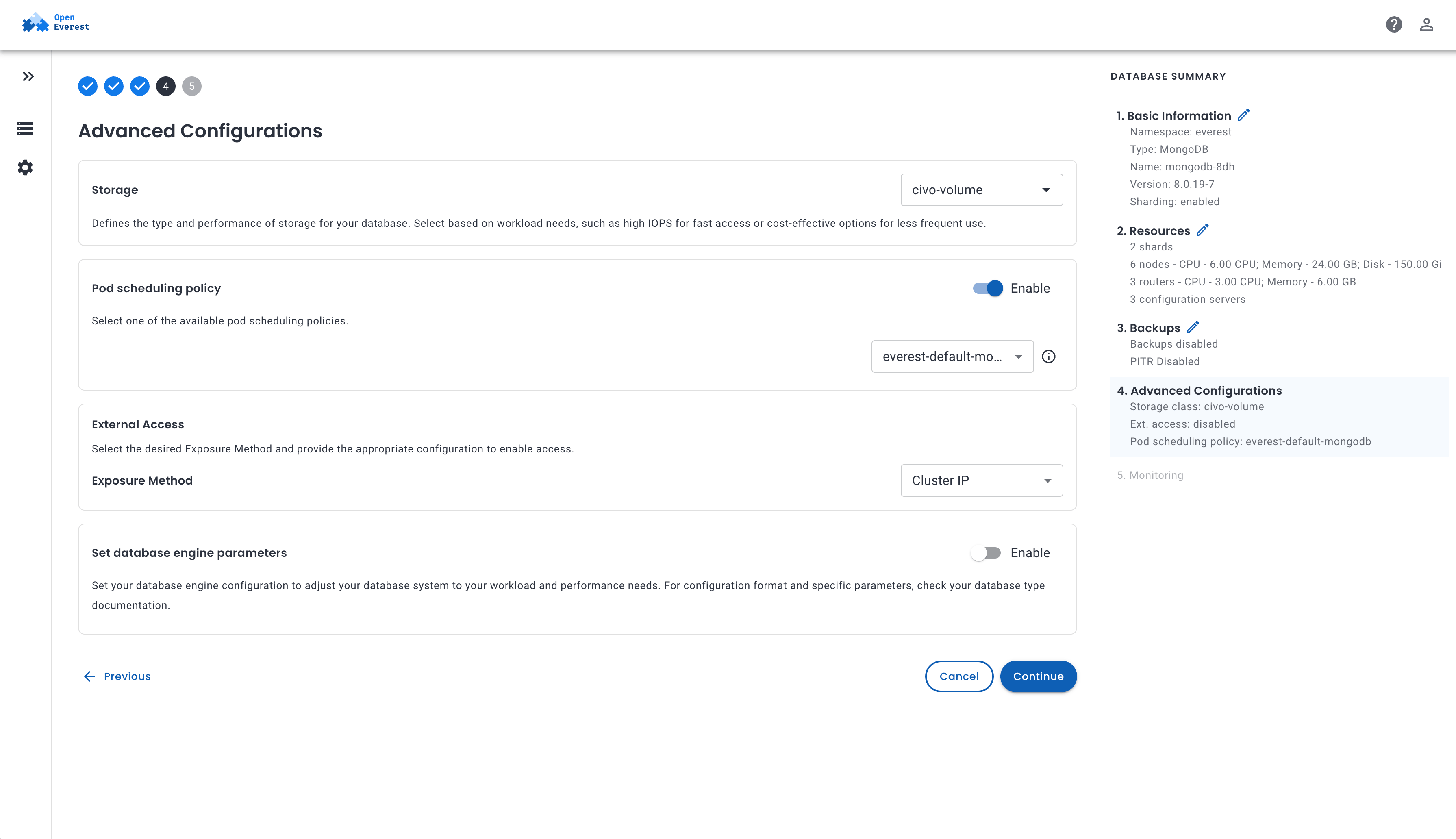
Production databases need tuning. OpenEverest exposes the knobs that matter through forms, so teams get full control without Kubernetes expertise.
- Engine parameters, from postgresql.conf to ClickHouse settings
- Storage classes and pod scheduling policies
- External access via LoadBalancer or NodePort, or keep it internal
AI workloads
Serve LLMs next to your data
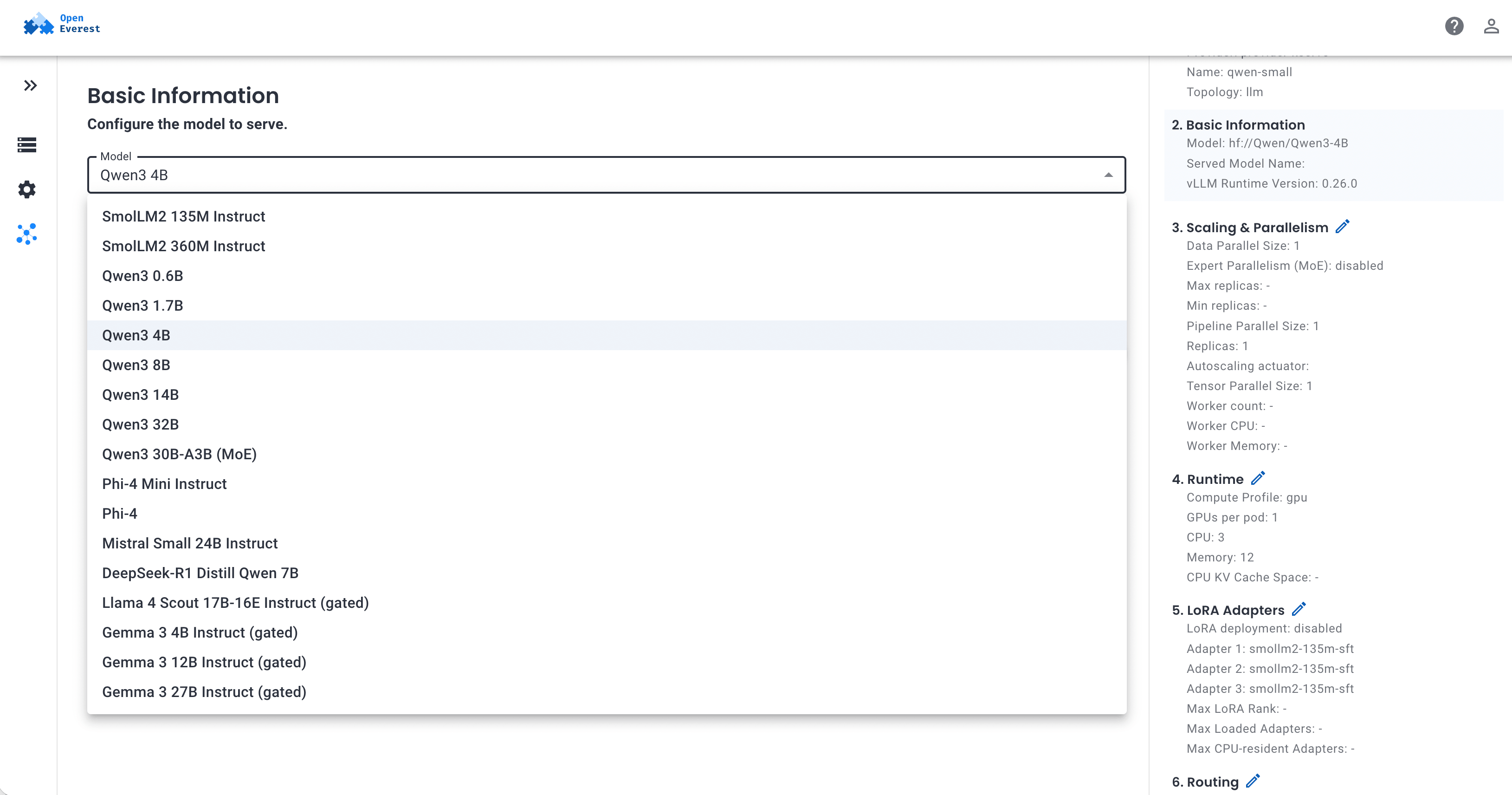
Deploy models with vLLM from a curated catalog and serve them behind one authenticated, OpenAI-compatible endpoint, on your own GPUs.
- Qwen3, Phi-4, Mistral, DeepSeek, Gemma, Llama or any Hugging Face model
- Per-model API keys and token quotas through the AI gateway
- Models bigger than one node with pipeline parallelism
Extensibility
Built for platform builders
OpenEverest is a foundation, not a black box. Add the technologies your teams need, keep pace with upstream operators, and extend the product any way you want, without forking the core.
Bring any technology
Every engine is a provider built with the Provider SDK on top of its Kubernetes operator. Write one for the technology you need, or pick one from the Hub.
- Add a new database, storage or AI technology in days, not months
- Expose new upstream operator features with minimal changes
- Providers release independently from the OpenEverest core
Extend everything else
Generic plugins add new pages, tabs and workflows to the OpenEverest UI and talk to its API. Build the features your users ask for and ship them on your own schedule.
- Add tabs to instance pages, new sidebar sections or whole tools
- Use the OpenEverest API and the user's own permissions
- Match the host look and feel, including dark mode
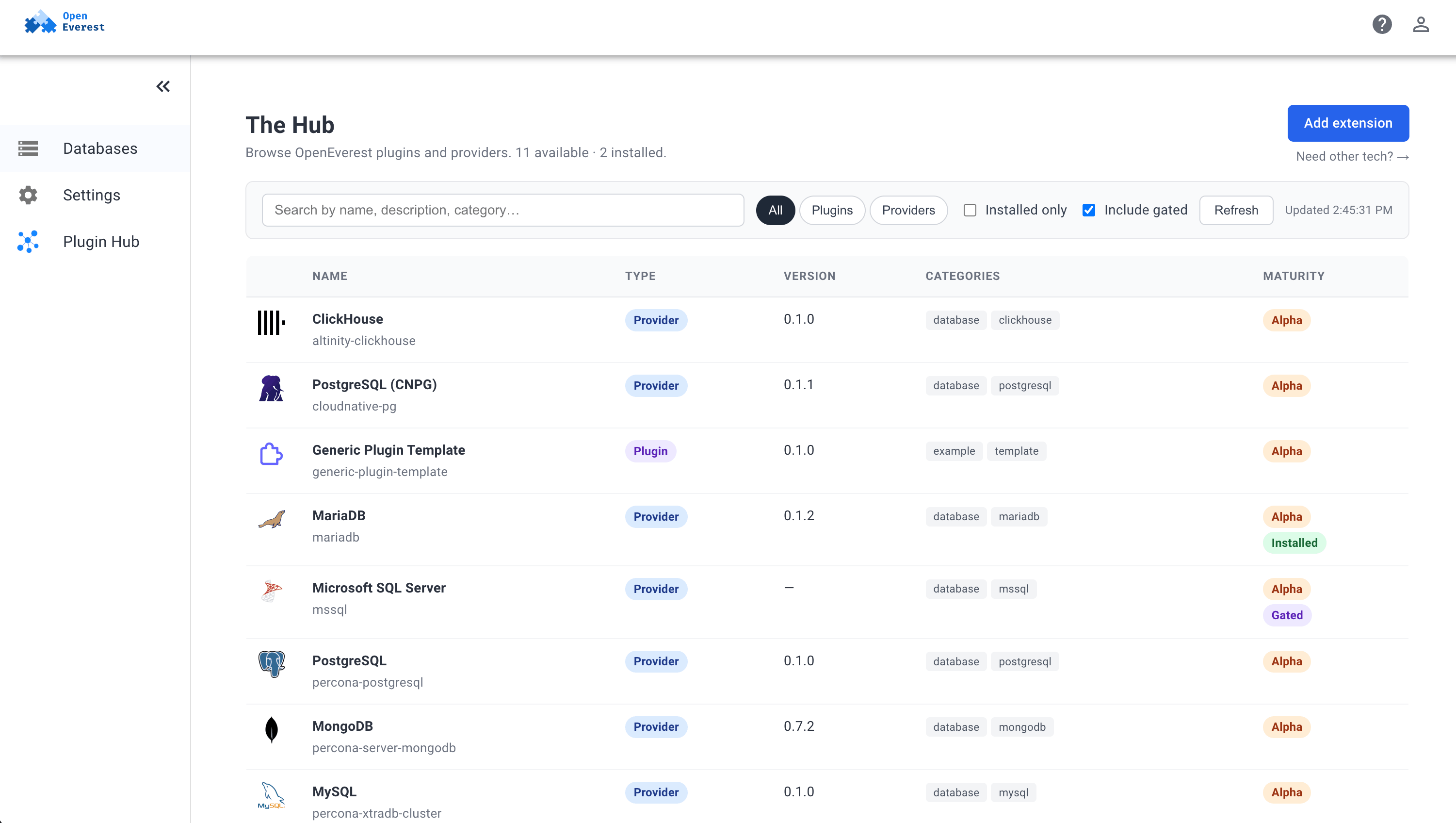
Plugins already in the Hub
- Inspector Pod status, live logs and describe-style details
- Bench pgbench benchmarks from the cluster page
- User Management Database users, roles and per-database access
- MongoDB Explorer Your MongoDB instances, right in the sidebar
- Migrations Live migrations into OpenEverest with minimal downtime
- Metrics Dashboards with CPU and memory against limits
One platform, every engine
Every technology is a provider with its own Kubernetes operator. Same UI, same API, same day‑2 workflow.
 MySQL
Synchronous replication with Percona XtraDB Cluster.
 MariaDB
Highly available MariaDB with point-in-time recovery.
 MongoDB
Replica sets and sharded clusters, backed up.
 PostgreSQL
Highly available Postgres with CloudNativePG or Percona.
 ClickHouse
Real-time analytics on replicated clusters.
 Microsoft SQL Server
Always-On Availability Groups on Kubernetes.
 TiDB
Distributed, MySQL-compatible SQL with built-in HTAP.
 Valkey
Redis-compatible caching and key-value at scale.
 KServe
LLMs behind your own OpenAI-compatible API.
 Milvus
A vector database for RAG and semantic search, on your platform.
 SeaweedFS
S3-compatible object storage, on your platform.
 TimescaleDB
Time-series PostgreSQL, Apache 2.0 or Community edition.
Any Kubernetes, anywhere
EKS, GKE, AKS, bare metal or air-gapped. If it runs Kubernetes, it runs OpenEverest, with the same experience everywhere.
Secure by default
TLS, generated credentials and role-based access control on every instance, from day one. Your data never leaves your infrastructure.
Open source, vendor neutral
Apache 2.0 licensed and a CNCF Sandbox project, developed in the open with a vendor-neutral, modular core.
Run your first instance today
Install OpenEverest on any Kubernetes cluster and provision a database in minutes.
