
Modular architectures allow users of the product to expand its capabilities or somehow get additional value. There are good examples in the open source — take PostgreSQL with its extensions or WordPress with plugins. And we are no different. In OpenEverest v2 we went all in and made the core as lightweight as possible, while allowing users to create plugins. You can read more about it in the v2 announcement blog.
But it is not enough to open the floodgates and get plugins. You should somehow make sure that users will know where to find information about plugins, how to install those, what is new, etc. We knew that at some point we will need to have some tool or mechanism to help with such a discovery. And we came up with the Hub.
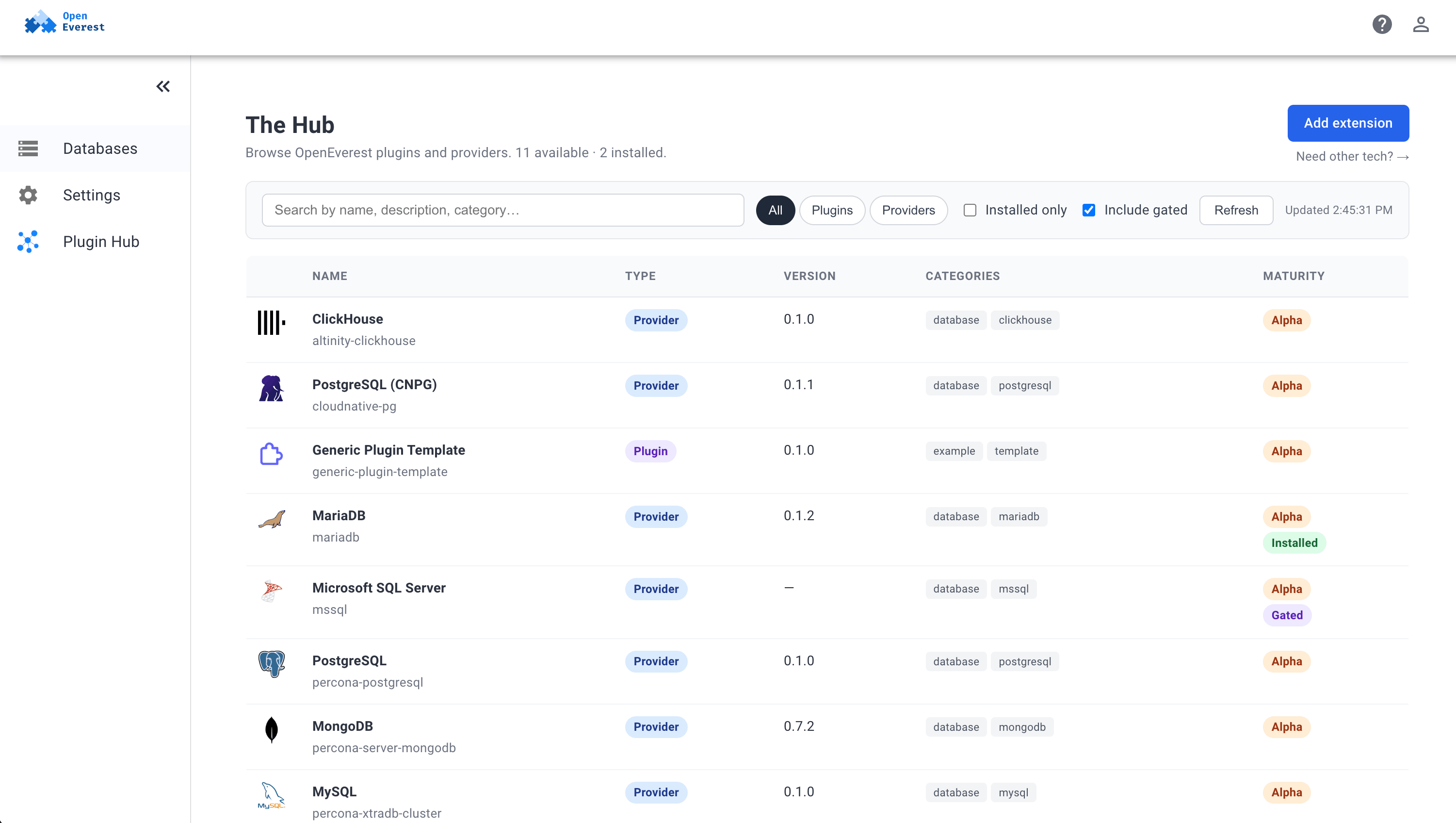
As you see from the screenshot — it shows the available providers and plugins. Some of those were not developed by the core team.
A small note before we dive in: the Hub relies on the plugin system introduced in OpenEverest v2, so it is available starting from v2.
How it works
There are two main components of the hub:
- Hub repo — the GitHub repository
openeverest/hubthat has all the information - Plugin — OpenEverest generic plugin that shows the data in the UI for the user
Hub repo
First things first — there should be a place where users can share their plugins and providers with the world. No better place for open source than to host it all in a GitHub repo. It all started with the spec that described the idea and the structure.
To add technology users describe the information about their
OpenEverest extensions in YAML manifest and send the PR. Once merged,
the index.json file is put together by the workflow. It contains
information about all the providers and plugins.
Users can read more about publishing their extensions in PUBLISHING.md.
Plugin
Since v2 introduced generic plugins, it was a no-brainer for us to implement a hub via the plugin. A good example of dogfooding.
As a result openeverest/plugin-hub
appeared. It is a generic plugin that is now deployed by default as a
Helm dependency with OpenEverest v2. It fetches and caches the
index.json file from the hub repo, and then shows it in a nice way
that you’ve seen on a screenshot above.
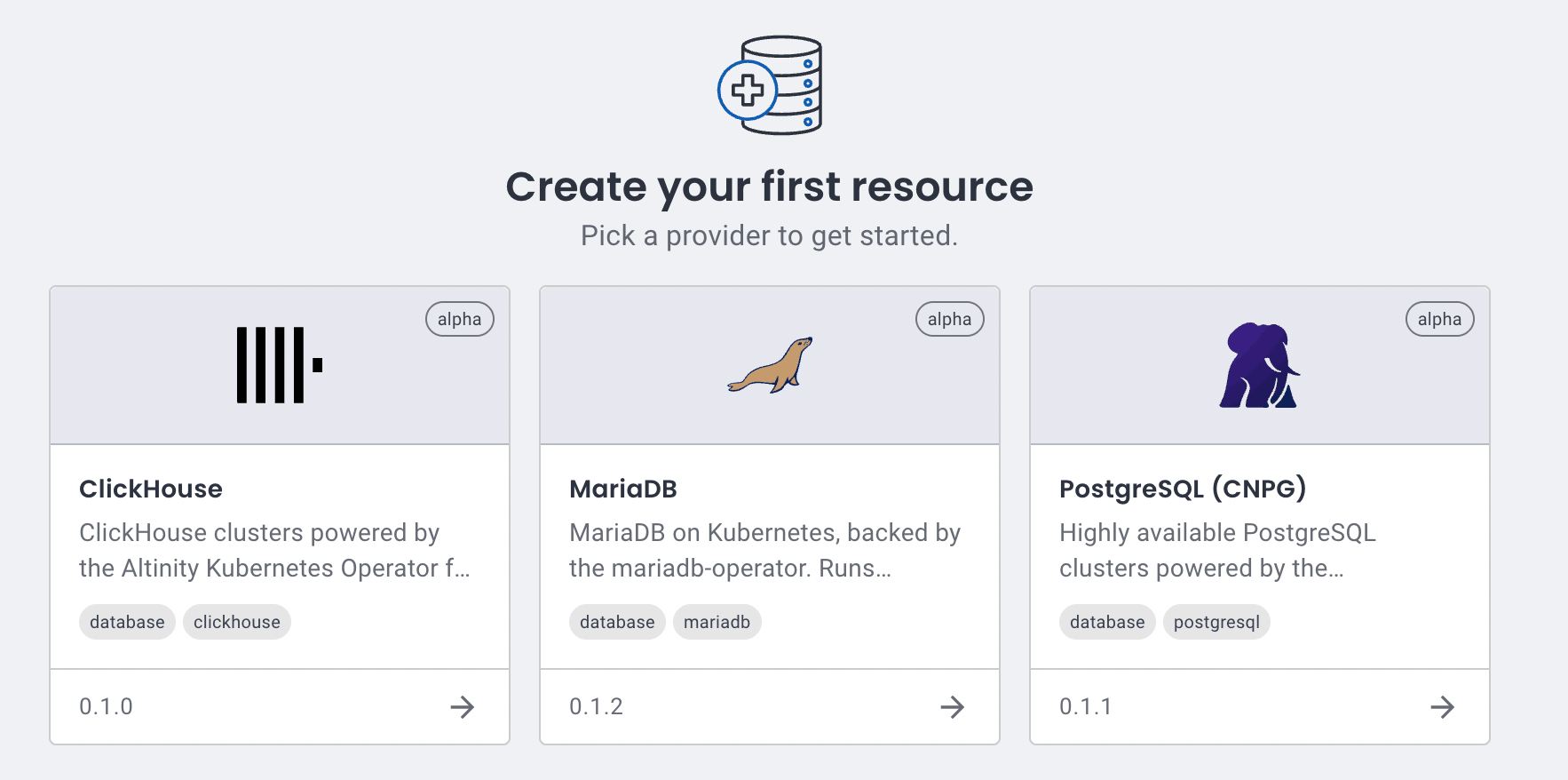
If you don’t have the plugin installed, you will not see nice tiles with available technologies, but only the names of the providers. So the plugin is tightly coupled with the core to provide better user experience.
What is next
We are far from done. We have various things to work on.
Design and UI
As you might have noticed the UI of the plugin is not following the one we have in the OpenEverest. Buttons, text fields, labels — everything is off. We need to align it somehow.
The thing here is that OpenEverest plugin system should expose the UI artifacts for plugins to consume. We had some attempts and there is an active discussion about it going here. This issue is quite complicated and requires some thought. You are more than welcome to brainstorm it with us.
Air gapped environment support
Issue #12 good first issue
A lot of companies with strict security rules and compliance
requirements run their Kubernetes clusters in private networks with no
access to the internet. We should make sure that they still can get
the value of the platform and the plugin. To do that we might need to
allow users to store index.json locally in ConfigMap and maybe even
ship it with the plugin.
Install with UI
The installation of plugins and providers is now done with Helm. You run a single command that pulls an OCI package and installs everything. This is what we have today in the plugin’s installation instruction section.
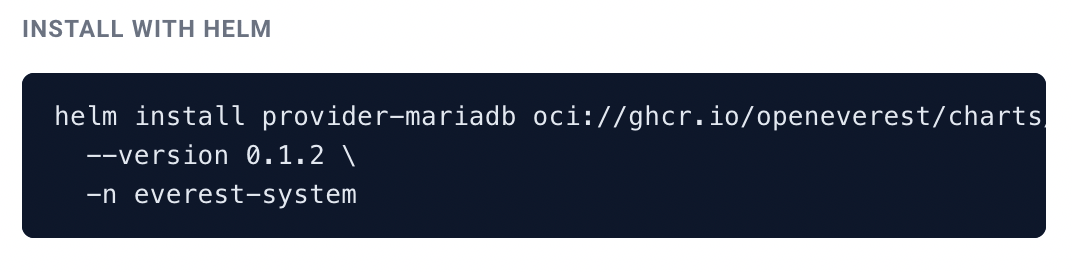
In an ideal world we don’t want users to switch to terminal. It should be possible to install extensions with a click of a button. It is not hard, but might require elevated permissions for the plugin itself, which might not be ideal.
Detect old versions
Issue #14 good first issue
Users can see which plugins and providers are currently installed. We can enhance this and alert the users about new versions released. It will be the first step towards some notification system within the plugin. It can be developed further, where we push notifications about security vulnerabilities and various extension enhancements.
Show the Hub on the website
Issue #119 good first issue
Right now you have to install OpenEverest to see what plugins and
providers are out there. We want to list them on
openeverest.io as well, so anyone can browse
the available technologies before spinning up a cluster. The data is
already there in the hub repo — the task is to pull the same
index.json and render it on the website.
Conclusion
As you see, there is a lot of work ahead and we are not stopping on improving OpenEverest and its ecosystem. We are always eager to learn about new use cases and opportunities that you see for the platform.
Join the Community
Want to help shape the Hub and the rest of the OpenEverest ecosystem? There are plenty of ways to get involved:
- Chat with us: Join the
#openeverest-userschannel on the CNCF Slack. - Connect with maintainers: Meet the team at our bi-weekly community meetings or reach out to the maintainers.
- Get started: Follow the quickstart guide to spin up OpenEverest and try the Hub yourself.