

OpenEverest 2.0.0 Alpha 1 is out. Explore five highlights in the cards below, or see the release notes for the full list.
Choose your monitoring backend
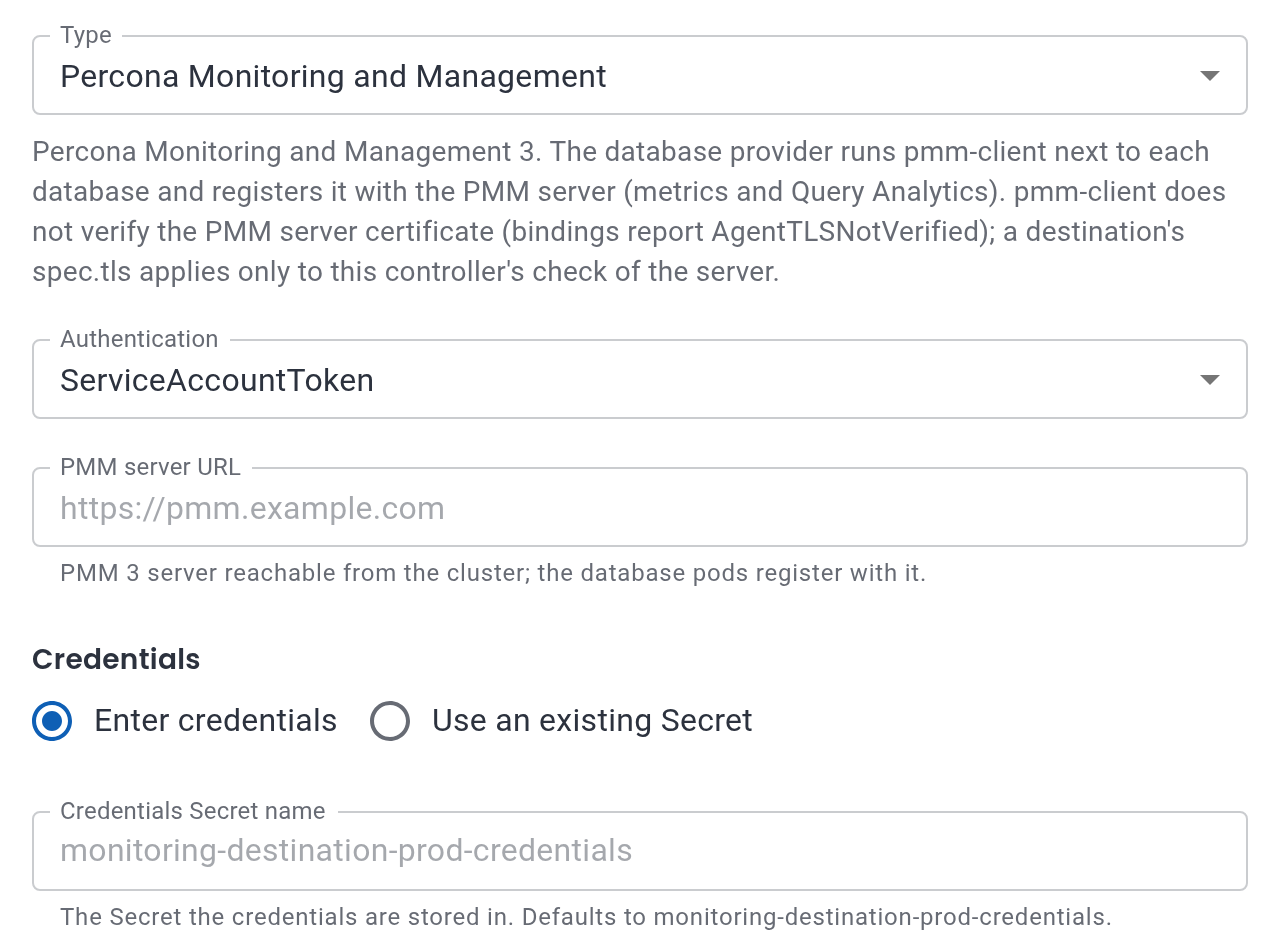
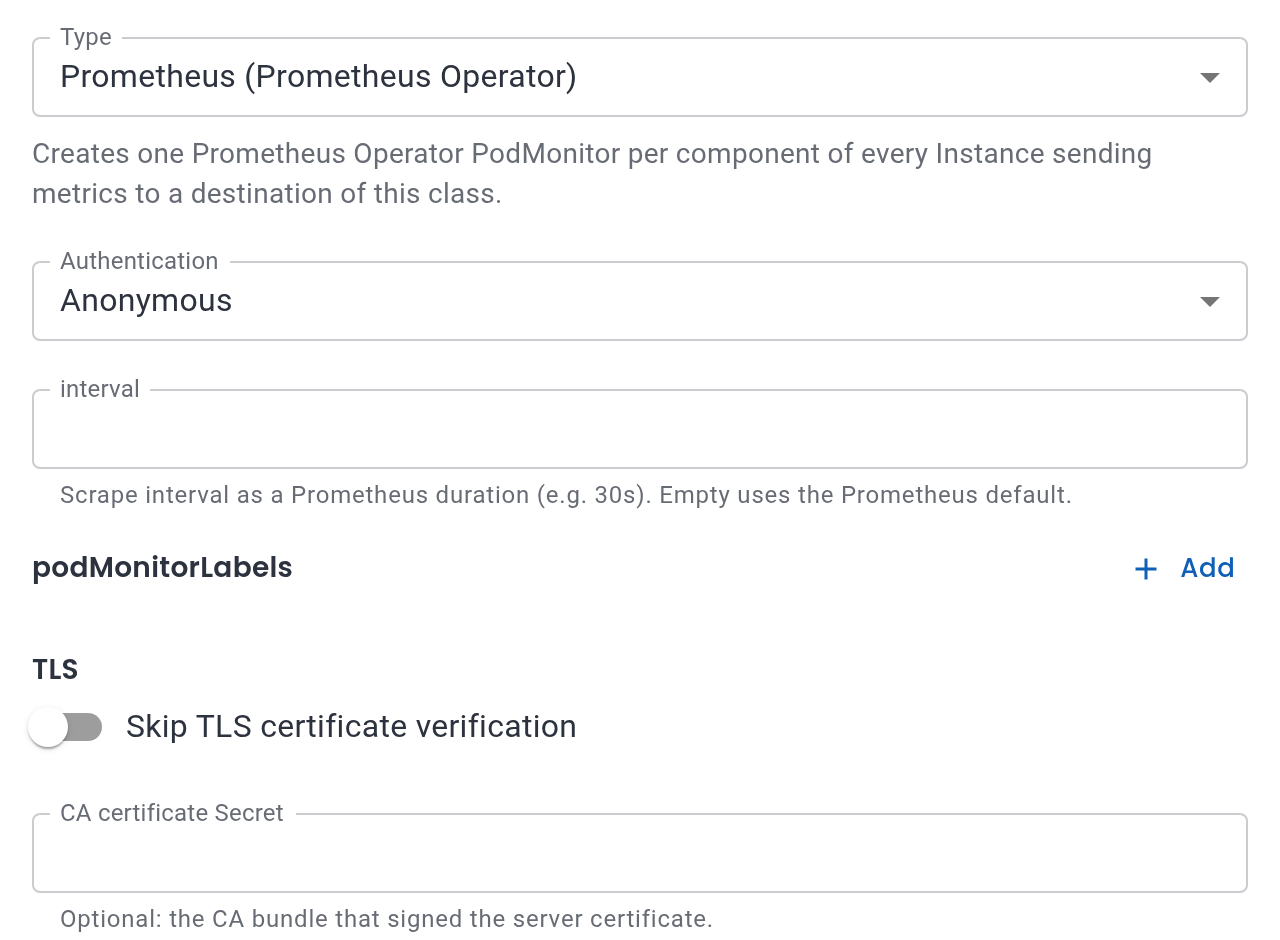
Install a monitoring integration, connect it to your server, and add the destination to an instance. Each integration provides its own settings and form.
PMM
Prometheus
PodMonitor per component from the endpoints the provider publishes.VictoriaMetrics
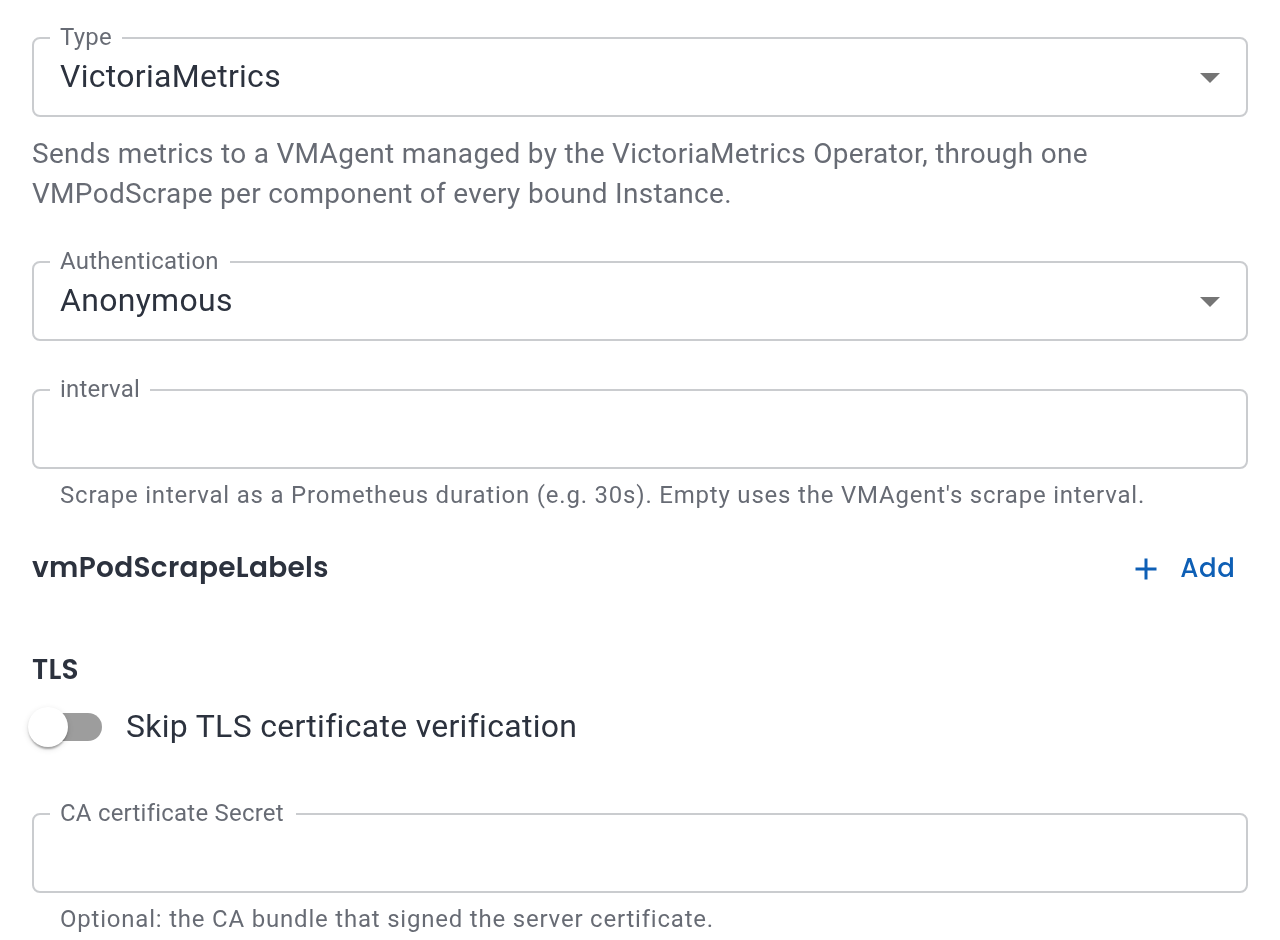
VMPodScrape resources.Coroot
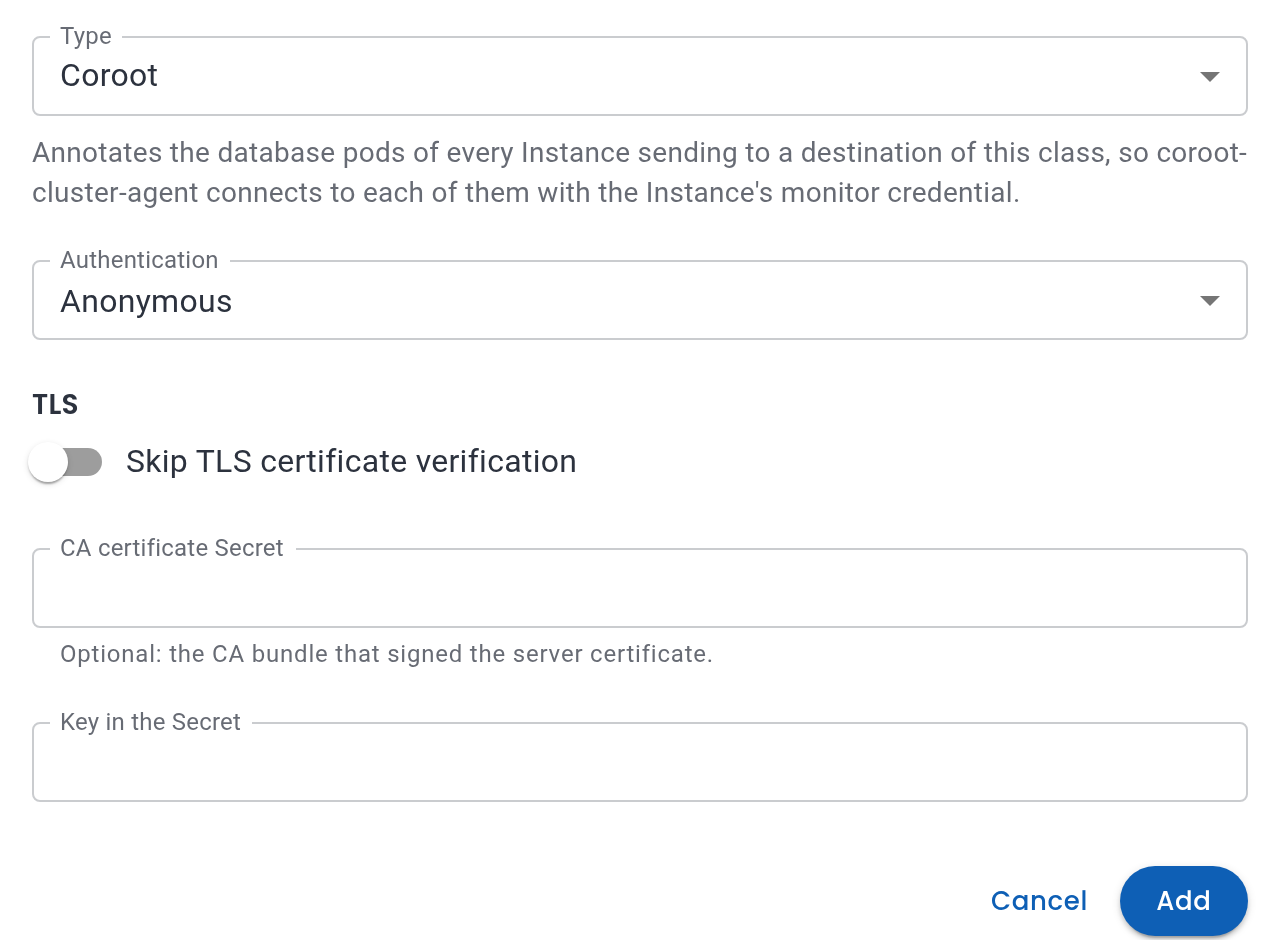
Incompatible for the MongoDB provider, before anyone tries it.On the instance
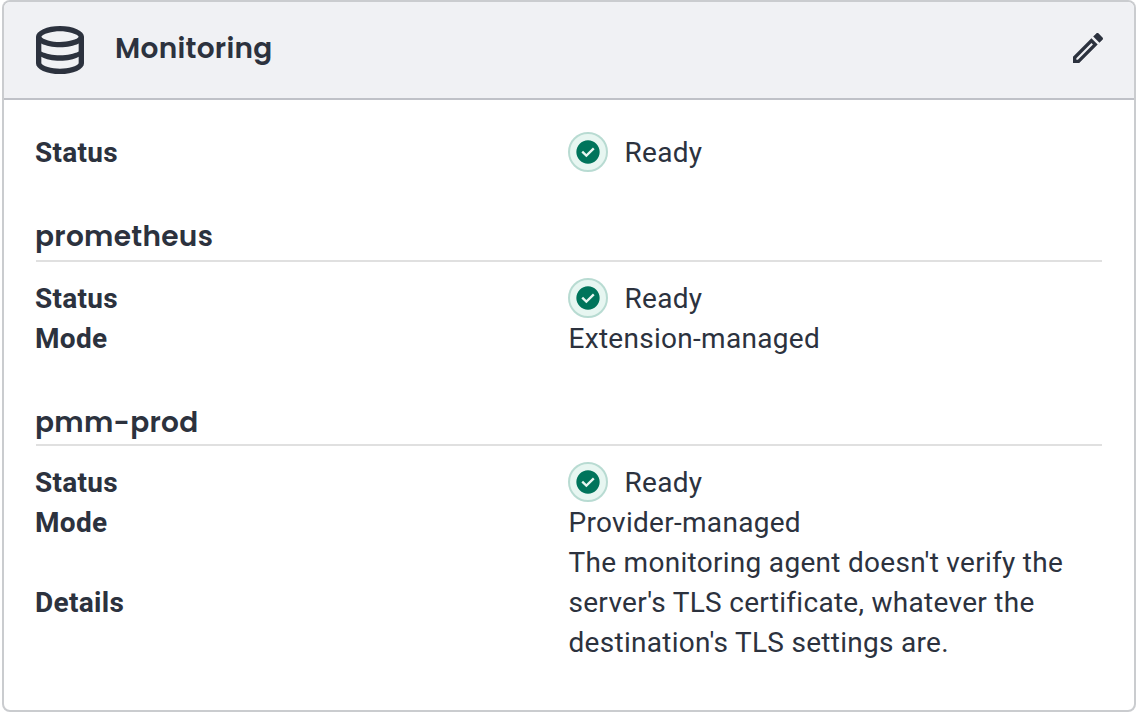
Ready.Install
Integrations connect to a server you already run. They don’t install one.
helm install monitoring-pmm \
  oci://ghcr.io/openeverest/charts/monitoring-pmm -n everest-system
helm install monitoring-prometheus \
  oci://ghcr.io/openeverest/charts/monitoring-prometheus -n everest-system

kubectl get monitoringclasses
Destinations
Only classRef, parameters and authentication differ between backends.
apiVersion: monitoring.openeverest.io/v1alpha1
kind: MonitoringDestination
metadata:
  name: pmm-prod
  namespace: team-a
spec:
  classRef:
    name: pmm
  parameters:
    url: https://pmm.monitoring.svc
  authentication:
    mode: ServiceAccountToken
    credentialsSecretRef:
      name: pmm-prod-token      # key: token
---
apiVersion: monitoring.openeverest.io/v1alpha1
kind: MonitoringDestination
metadata:
  name: prometheus
  namespace: team-a
spec:
  classRef:
    name: prometheus
  parameters:
    podMonitorLabels:
      release: kube-prometheus-stack
    interval: 30s
Instance
apiVersion: core.openeverest.io/v1alpha1
kind: Instance
metadata:
  name: orders
  namespace: team-a
spec:
  monitoring:
    destinations:
      - name: prometheus
        destinationRef:
          name: prometheus
      - name: pmm
        destinationRef:
          name: pmm-prod
Result
Core creates one MonitoringBinding per destination. The Prometheus integration answered with a PodMonitor.
$ kubectl get monitoringclasses
NAME              ACCEPTED   AGE
coroot            Accepted   11m
pmm               Accepted   11m
prometheus        Accepted   11m
victoriametrics   Accepted   11m

$ kubectl get monitoringdestinations -n team-a
NAME         CLASS        AUTH                  ACCEPTED   READY   VERSION   INSTANCES   AGE
pmm-prod     pmm          ServiceAccountToken   Accepted   Ready   3.10.0    0           4m38s
prometheus   prometheus   Anonymous             Accepted   Ready             1           6m57s

$ kubectl get monitoringbindings -n team-a
NAME                         INSTANCE   DESTINATION   CLASS        ACCEPTED   CONFIGURED   READY   AGE
orders-prometheus-26264916   orders     prometheus    prometheus   Accepted   Configured   Ready   5m33s

$ kubectl get podmonitors -n team-a
NAME                                AGE
orders-prometheus-26264916-engine   4m12s
Storage is no longer hard-coded
Storage classes describe supported technologies and settings. OpenEverest checks compatibility with the provider before a backup is created.
Refused up front
$ kubectl get backupstorages -n team-a
NAME          TYPE   BUCKET                AUTH        ACCEPTED   AGE
gcs-archive   s3     openeverest-backups   AccessKey   Accepted   6s
s3-prod       s3     openeverest-backups   AccessKey   Accepted   45m
$ kubectl get backupstorage gcs-archive -n team-a \
    -o jsonpath='{.status.backupClasses}' | jq -c '.[] | {name, compatibility, reason}'
{"name":"percona-backup-mongodb","compatibility":"Incompatible","reason":"ParameterUnsupported"}$ kubectl apply -f backup-to-gcs.yaml
Error from server (Forbidden): error when creating "backup-to-gcs.yaml": admission webhook "vbackup-v1alpha1.backup.openeverest.io" denied the request: backup storage incompatible: BackupStorage "gcs-archive" is Incompatible with BackupClass "percona-backup-mongodb" (ParameterUnsupported): BackupClass "percona-backup-mongodb" does not support the parameters of the storage: schema validation failed: validation errors: implementation: implementation must be one of the following: "aws", "minio", "ceph", "other"
Still in use
$ kubectl delete backupstorage s3-prod -n team-a --wait=false
backupstorage.backup.openeverest.io "s3-prod" deleted from team-a namespace
$ kubectl get backupstorages -n team-a
NAME      TYPE   BUCKET                AUTH        ACCEPTED   AGE
s3-prod   s3     openeverest-backups   AccessKey   Accepted   34m
$ kubectl get backupstorage s3-prod -n team-a \
    -o jsonpath='{.status.conditions}' | jq -c '.[] | {type,status,reason,message}'
{"type":"Accepted","status":"True","reason":"Accepted","message":"valid for BackupStorageClass \"s3\""}
{"type":"Deleting","status":"True","reason":"WaitingForReferrers","message":"still referenced by 1 Instance(s), 1 Backup(s), 2 BackupImport(s)"}
The form
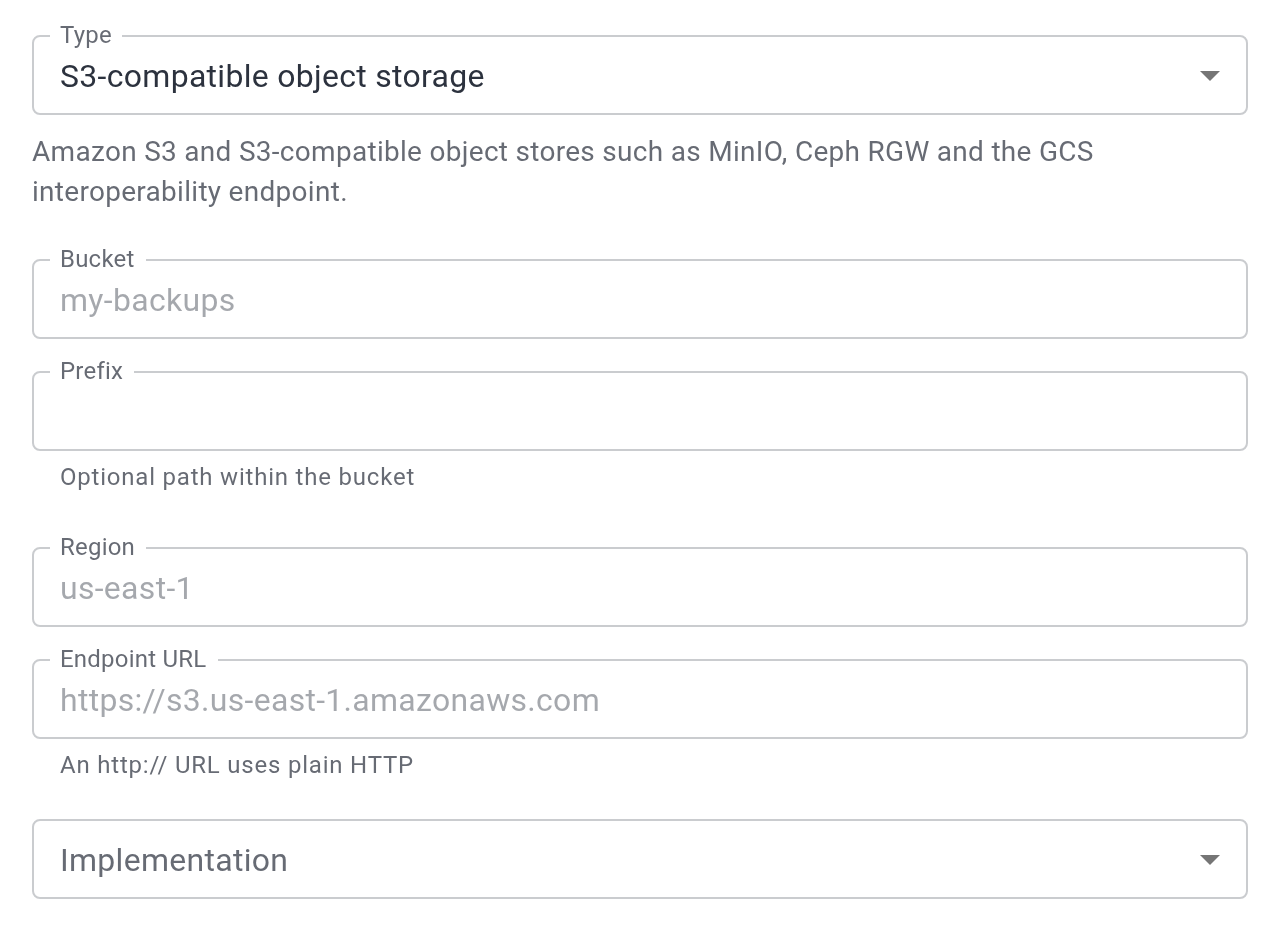
s3 class, so another class brings another form.BackupStorage
Create the credentials Secret first, then the storage. The class and the location can’t be changed later.
apiVersion: v1
kind: Secret
metadata:
  name: s3-prod-credentials
  namespace: team-a
  labels:
    openeverest.io/backup-storage-class: s3
    openeverest.io/definition: AccessKey
stringData:
  AWS_ACCESS_KEY_ID: <access key>
  AWS_SECRET_ACCESS_KEY: <secret key>
---
apiVersion: backup.openeverest.io/v1alpha1
kind: BackupStorage
metadata:
  name: s3-prod
  namespace: team-a
spec:
  backupStorageClassRef:
    name: s3
  location:
    objectStore:
      bucket: openeverest-backups
      prefix: team-a
  parameters:
    region: us-east-1
    endpointURL: http://s3.objectstore.svc:9000
    implementation: other
    forcePathStyle: true
  authentication:
    mode: AccessKey
    credentialsSecretRef:
      name: s3-prod-credentials
Classes
One storage class from the core, one backup class from the MongoDB provider.
$ kubectl get backupstorageclasses
NAME   DISPLAY NAME                   AGE
s3     S3-compatible object storage   18m

$ kubectl get backupclasses
NAME                     MODE              PROVIDER                 ACCEPTED   AGE
percona-backup-mongodb   ProviderManaged   percona-server-mongodb   Accepted   18m
Backup
Every backup records where it was written, so it can be restored after its instance is gone. The Import card uses that.
$ kubectl get backups -n team-a
NAME                      INSTANCE   STORAGE   STATE
orders-before-migration   orders     s3-prod   Succeeded

$ kubectl get backup orders-before-migration -n team-a -o jsonpath='{.status.path}{"\n"}'
team-a/backups/team-a/orders/8c7f5808-b52e-420a-8491-aad314e4a91b/s3-prod
See who changed what
Changes through the UI, API or Kubernetes produce events with an actor. Events expire with the cluster’s Event TTL; plugin-audit keeps a searchable audit log.
Audit log
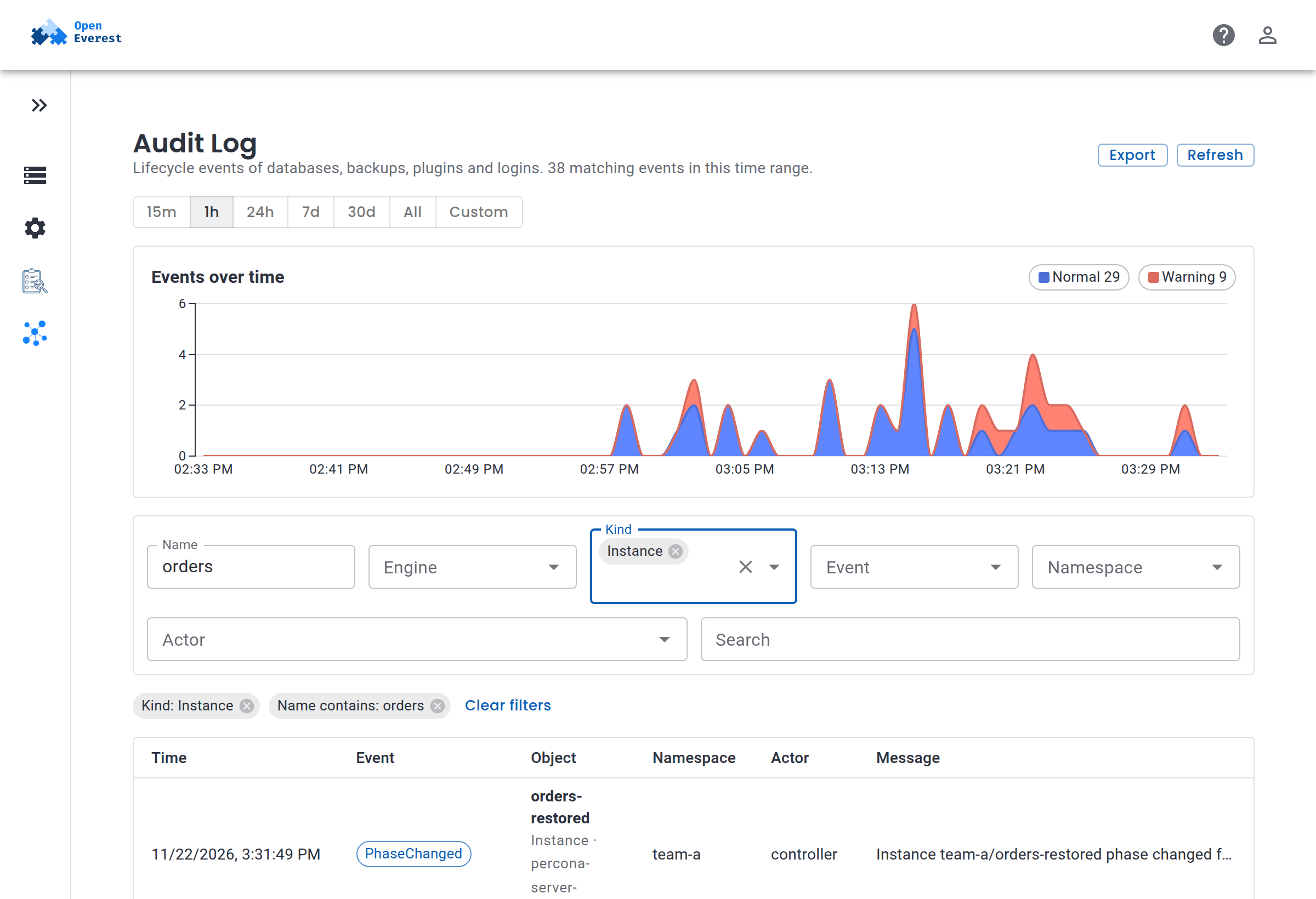
One event
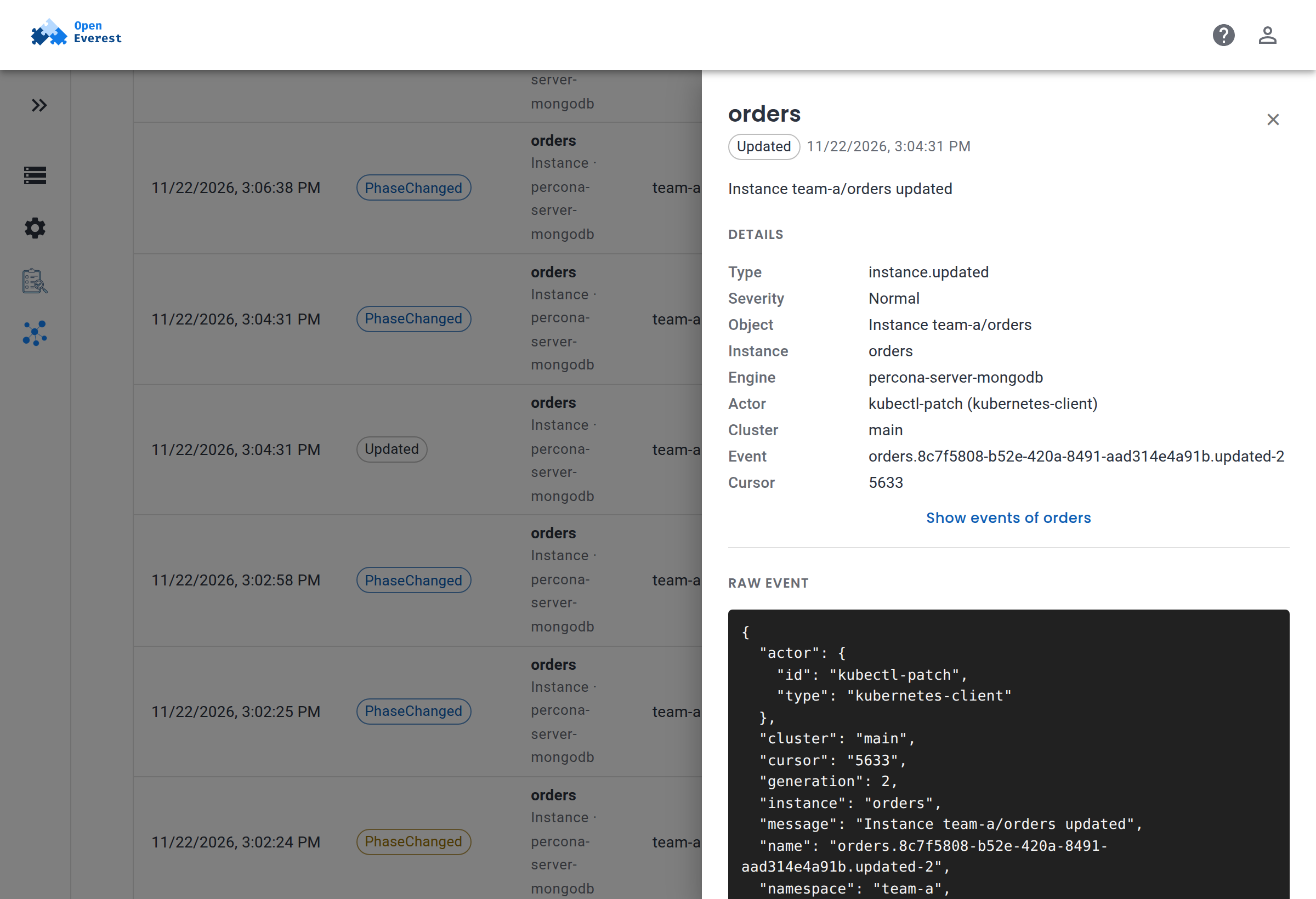
kubectl patch, not through the API. It is recorded all the same.Console
$ kubectl patch instance orders-restored -n team-a --type merge \
    -p '{"spec":{"components":{"engine":{"resources":{"limits":{"cpu":"1"}}}}}}'
instance.core.openeverest.io/orders-restored patched
$ curl -s -H "Authorization: Bearer $TOKEN" \
    "$API/events?namespaces=team-a&kinds=Instance&reasons=Created,Updated" \
    | jq -c '.items[] | select(.instance=="orders-restored") | {at: .occurredAt[11:19], type, actor}'
{"at":"15:17:49","type":"instance.created","actor":{"id":"admin","type":"user"}}
{"at":"15:21:21","type":"instance.updated","actor":{"id":"kubectl-patch","type":"kubernetes-client"}}
{"at":"15:38:18","type":"instance.updated","actor":{"id":"kubectl-patch","type":"kubernetes-client"}}
{"at":"15:42:50","type":"instance.updated","actor":{"id":"kubectl-patch","type":"kubernetes-client"}}
List and stream
List first, then stream from the list’s resourceVersion so nothing is missed.
API=http://localhost:8080/v1/clusters/main

curl -s -H "Authorization: Bearer $TOKEN" \
  "$API/events?namespaces=team-a&kinds=Instance,Backup" | jq

curl -sN -H "Authorization: Bearer $TOKEN" \
  "$API/events?watch=true&since=<resourceVersion>"
kubectl
They are ordinary Kubernetes Events, so kubectl reads them too.
$ kubectl get events -n team-a --field-selector reportingComponent=openeverest.io/everest | tail -4
38m         Normal    Created             monitoringdestination/pmm-prod       MonitoringDestination team-a/pmm-prod created
40m         Normal    Created             monitoringdestination/prometheus     MonitoringDestination team-a/prometheus created
40m         Normal    Created             backupstorage/s3-prod                BackupStorage team-a/s3-prod created
6m33s       Normal    DeletionRequested   backupstorage/s3-prod                BackupStorage team-a/s3-prod deletion requested
Auditor role
Reading events is its own permission, read-events. read doesn’t include it. This is the role plugin-audit runs with here.
p, role:auditor, instances, read-events, */*/*
p, role:auditor, backups, read-events, */*/*
p, role:auditor, restores, read-events, */*/*
p, role:auditor, backup-imports, read-events, */*/*
p, role:auditor, backup-storages, read-events, */*/*
p, role:auditor, monitoring-destinations, read-events, */*/*
p, role:auditor, providers, read-events, */*
p, role:auditor, plugins, read-events, */*
p, role:auditor, installed-extensions, read-events, */*
p, role:auditor, namespaces, read-events, */*
p, role:auditor, platform-events, read, *
g, auditor, role:auditor
Install plugin-audit
kubectl create secret generic audit-credentials -n everest-system \
  --from-file=username=./username --from-file=password=./password

helm install audit oci://ghcr.io/solanicaio/charts/audit \
  --version 0.2.0 \
  --namespace everest-system \
  --set image.repository=ghcr.io/solanicaio/plugin-audit \
  --set auth.credentialsSecretName=audit-credentials
Give teams their own presets
Alongside provider-wide presets, teams can define instance configurations in their own namespace. Permissions can restrict users to creating instances that match a preset.
The guardrail
$ kubectl get instancepresets -A
NAMESPACE   NAME             AGE
team-a      team-a-mongodb   28m
$ curl -s -X POST $API/instances -H "Authorization: Bearer $ALICE" \
    -H 'Content-Type: application/json' -d @payments-xl.json \
    -o resp.json -w 'HTTP %{http_code}\n'; jq '{reason, differs: [.causes[].field]}' resp.json
HTTP 403
{
  "reason": "PresetMismatch",
  "differs": [
    "spec.components[engine].storage.size",
    "spec.components[engine].resources.limits[memory]",
    "spec.monitoring"
  ]
}
$ curl -s -X POST $API/instances -H "Authorization: Bearer $ALICE" \ -H 'Content-Type: application/json' -d @payments.json \ -o resp.json -w 'HTTP %{http_code}\n'; jq -c '.metadata.annotations' resp.json
HTTP 201
{"openeverest.io/instance-preset":"team-a-mongodb","openeverest.io/last-actor-id":"alice","openeverest.io/last-actor-type":"user"}
In the wizard
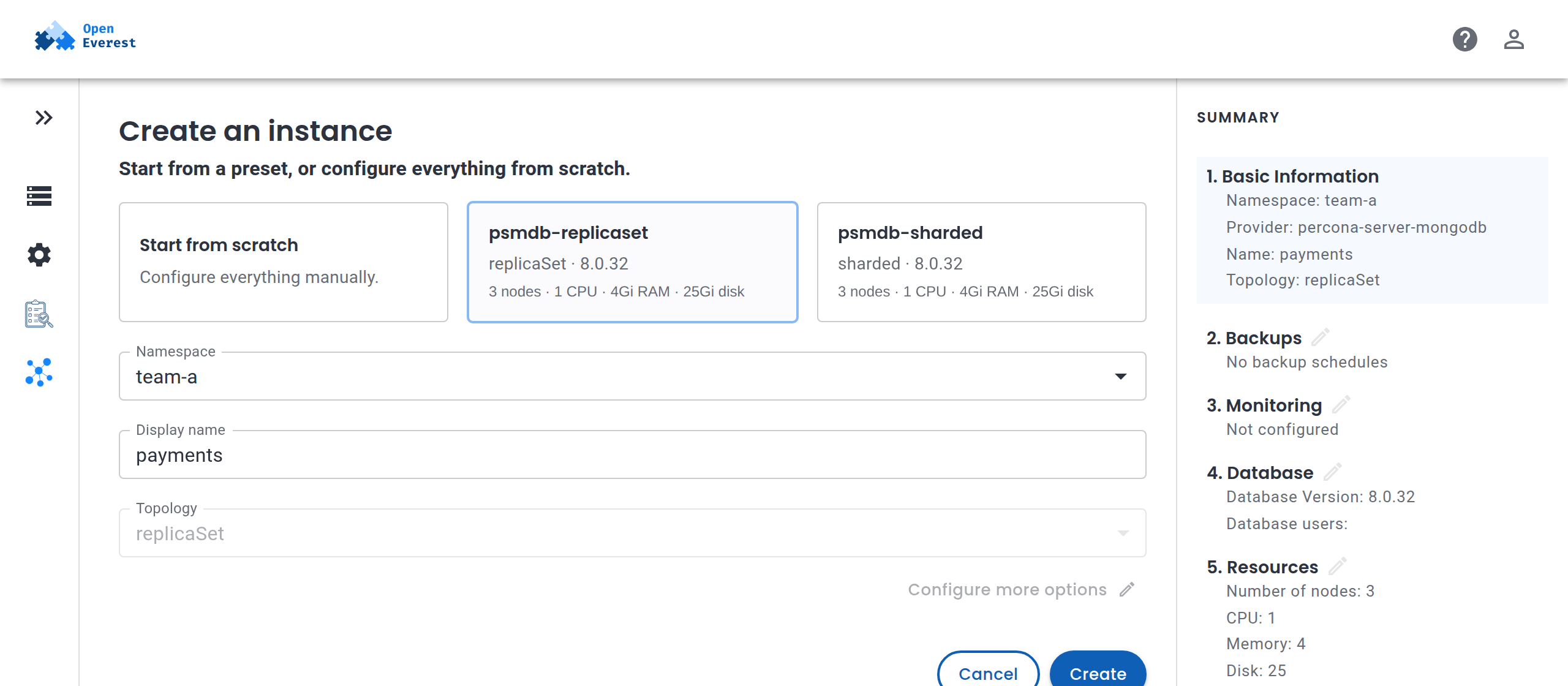
kubectl.InstancePreset
The spec has the same shape as an Instance spec.
apiVersion: core.openeverest.io/v1alpha1
kind: InstancePreset
metadata:
  name: team-a-mongodb
  namespace: team-a
spec:
  providerRef:
    name: percona-server-mongodb
  version: "8.0.32"
  topology:
    type: replicaSet
  components:
    engine:
      replicas: 3
      resources:
        limits:
          cpu: "1"
          memory: 2Gi
      storage:
        size: 10Gi
  backup:
    enabled: true
    classRef:
      name: percona-backup-mongodb
    storages:
      - storageRef:
          name: s3-prod            # namespaced: only an InstancePreset can name it
        schedules:
          - name: nightly
            enabled: true
            cron: "0 2 * * *"
            retention:
              type: count
              count: 7
  monitoring:
    destinations:
      - name: prometheus
        destinationRef:
          name: prometheus         # namespaced as well
RBAC
No create on instances: alice can only copy a preset. She also needs to read what the preset references.
p, role:developer, namespaces, read, main/team-a
p, role:developer, providers, read, */*
p, role:developer, instances, read, main/team-a/*
p, role:developer, instance-presets, read, main/team-a/*
p, role:developer, instances, create-from-preset, main/team-a/*
p, role:developer, backup-storages, read, main/team-a/*
p, role:developer, monitoring-destinations, read, main/team-a/*
p, role:developer, backup-classes, read, */*
g, alice, role:developer
Request
An exact copy: the preset’s spec, a name, and the annotation that names the preset.
{
  "apiVersion": "core.openeverest.io/v1alpha1",
  "kind": "Instance",
  "metadata": {
    "name": "payments",
    "namespace": "team-a",
    "annotations": {
      "openeverest.io/instance-preset": "team-a-mongodb"
    }
  },
  "spec": { "…": "the spec of the preset, unchanged" }
}
Restore a backup from storage
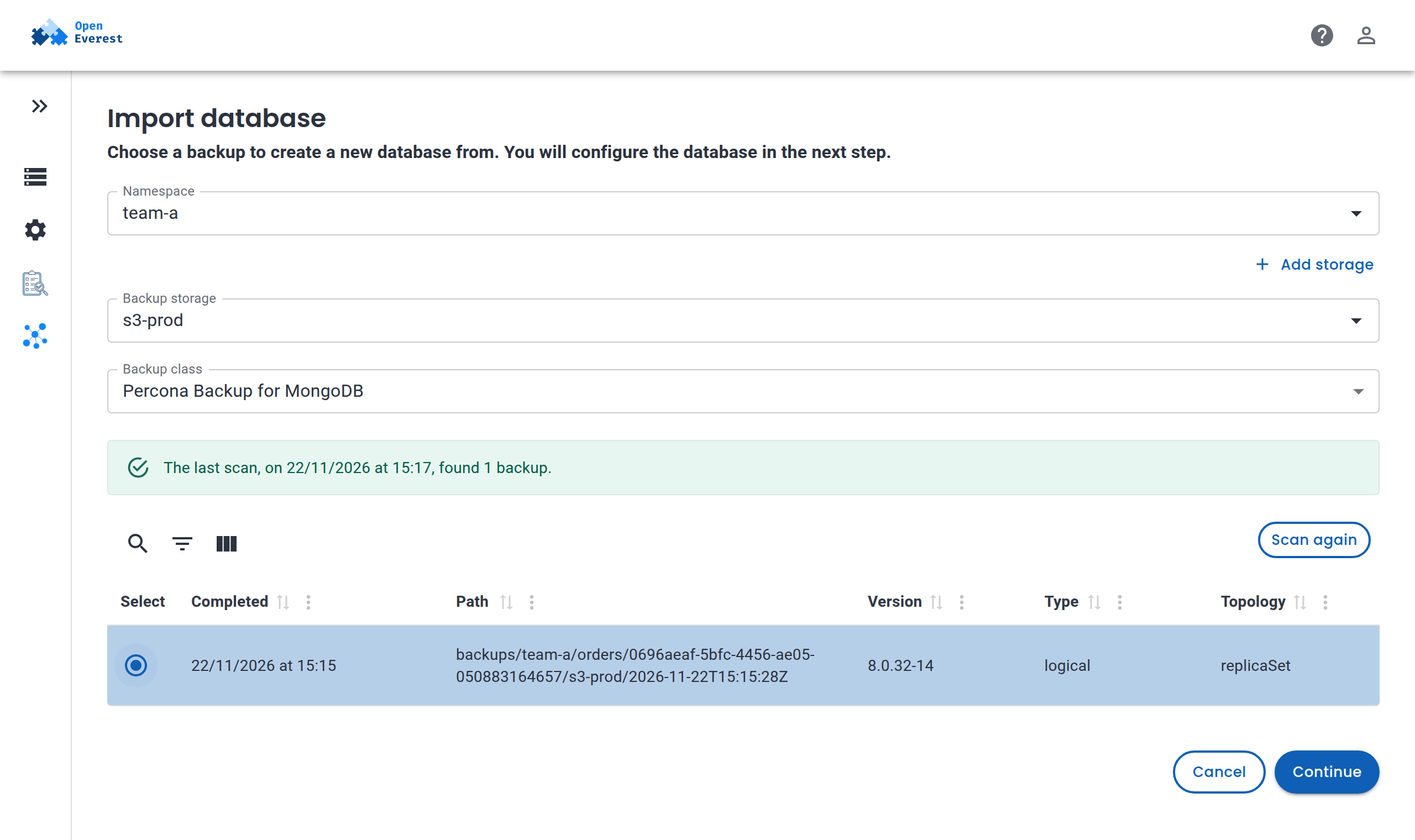
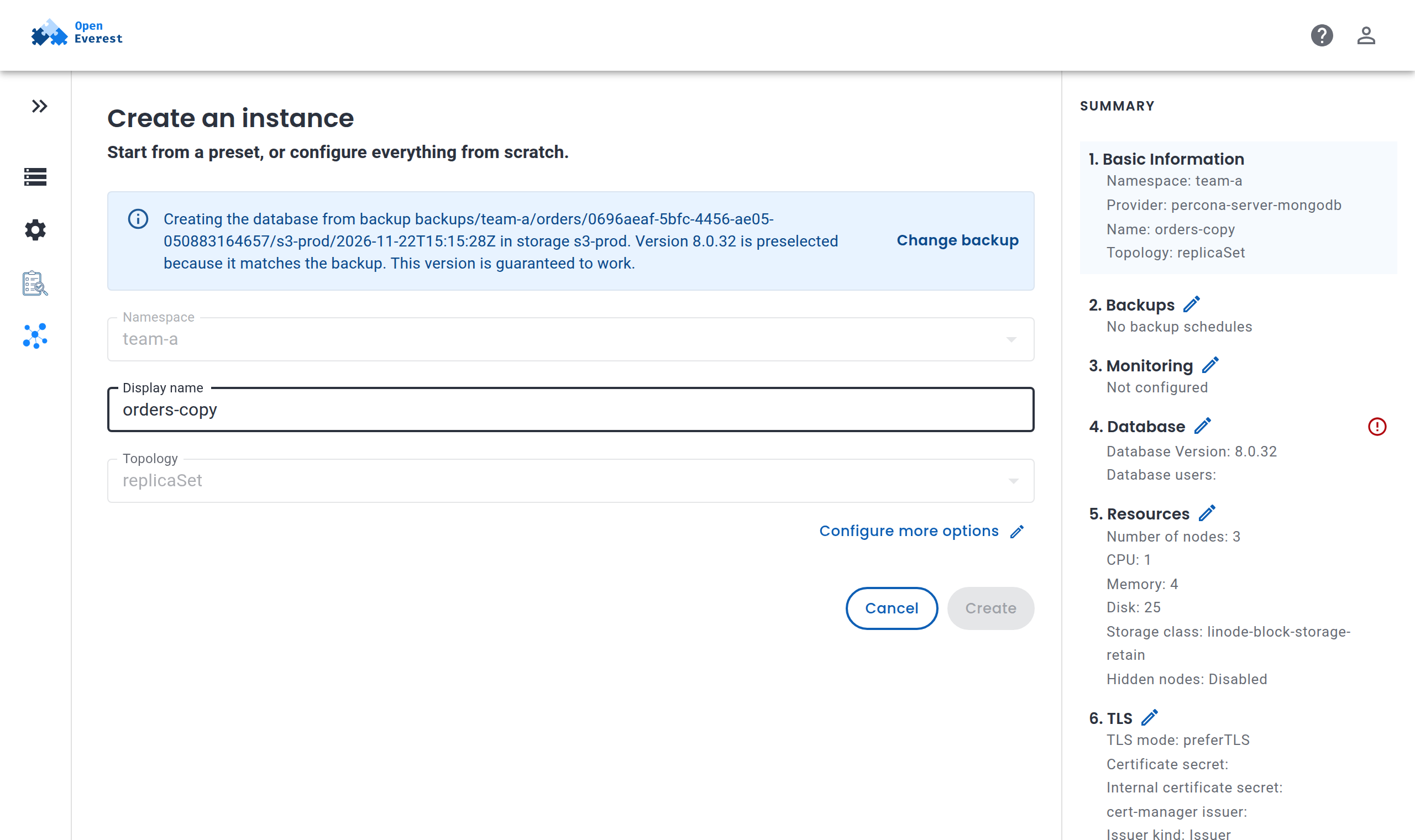
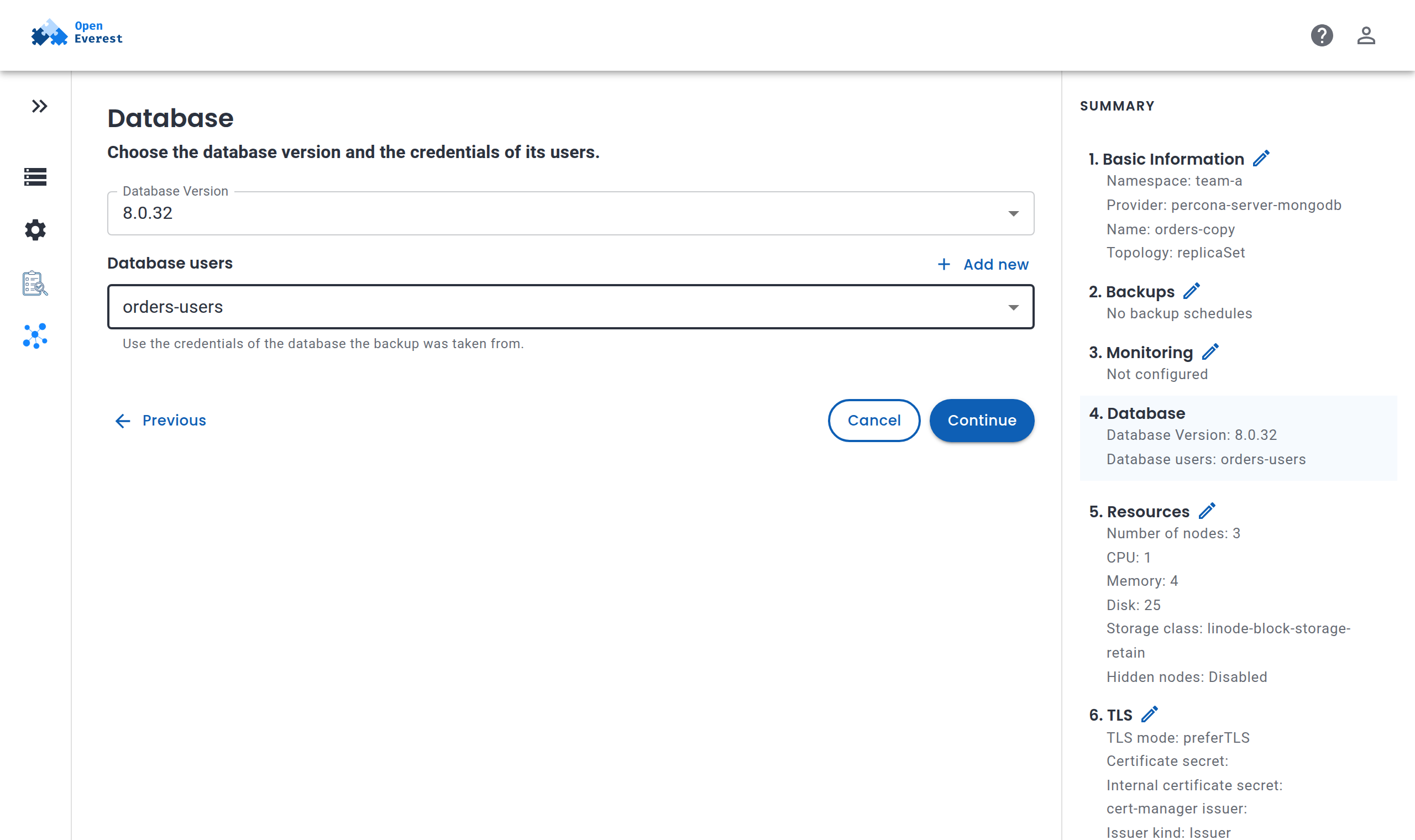
Scan backup storage and create an instance from a discovered backup, even when the original cluster and its backup record are gone.
1. Scan
2. Configure
3. Users
4. Ready
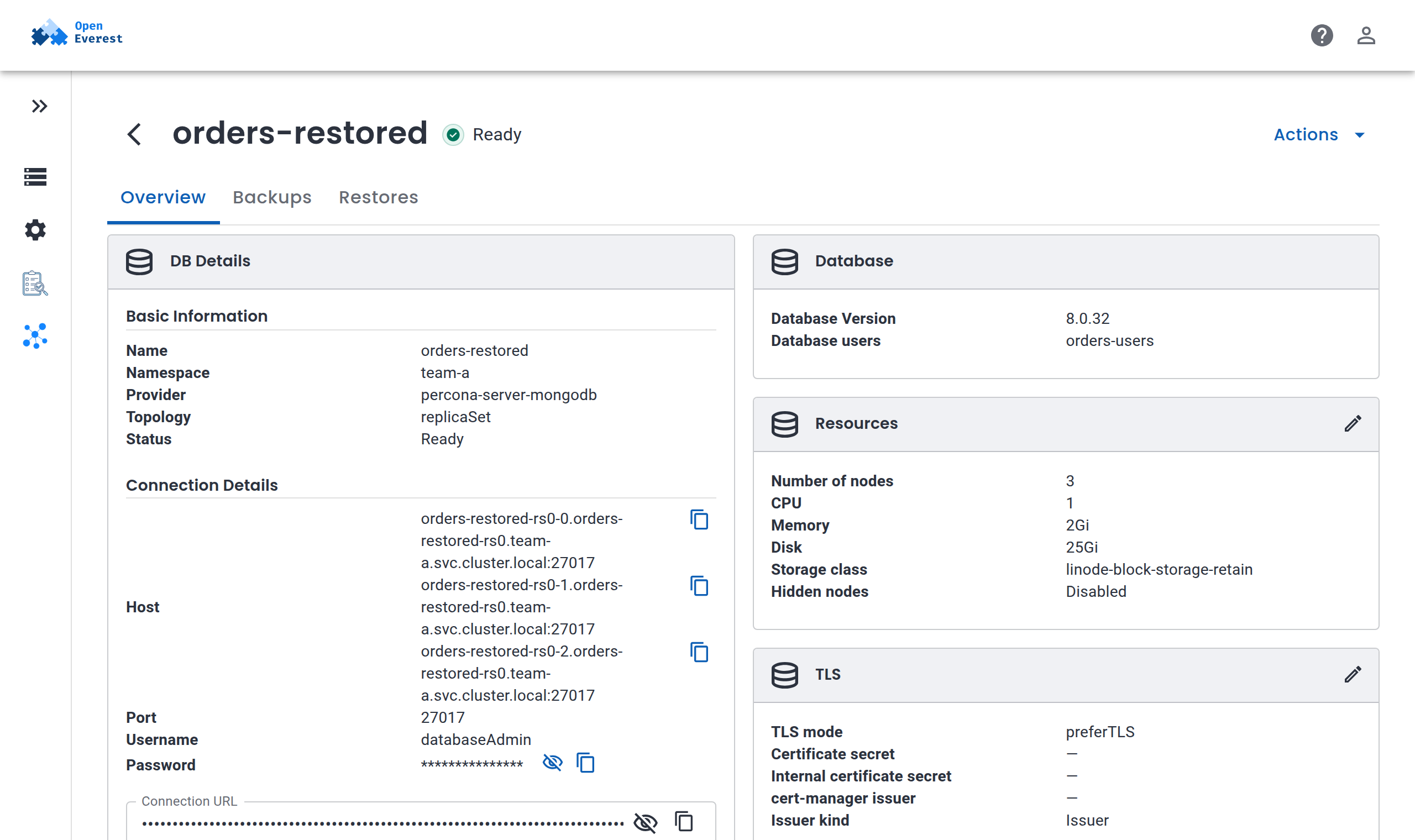
orders-restored.BackupImport
The UI creates this for you. One scan, one storage, one backup class.
apiVersion: backup.openeverest.io/v1alpha1
kind: BackupImport
metadata:
  name: import-2rpx7
  namespace: team-a
spec:
  classRef:
    name: percona-backup-mongodb
  storageRef:
    name: s3-prod
status:
  createdCount: 1
  discoveredCount: 1
  state: Succeeded
Found backup
Each backup found becomes a Backup with an external origin.
apiVersion: backup.openeverest.io/v1alpha1
kind: Backup
metadata:
  name: import-8f56585f57b5e55e
  namespace: team-a
spec:
  classRef:
    name: percona-backup-mongodb
  storageRef:
    name: s3-prod
  deletionPolicy: Retain
  origin:
    type: External
    external:
      path: backups/team-a/orders/0696aeaf-5bfc-4456-ae05-050883164657/s3-prod/2026-11-22T15:15:28Z
      startedAt: "2026-11-22T15:15:29Z"
      completedAt: "2026-11-22T15:15:35Z"
      sourceMetadata:
        backupType: logical
        engineVersion: 8.0.32-14
        topology: replicaSet
Instance
The new instance points at the found backup and at the Secret with the original users.
apiVersion: core.openeverest.io/v1alpha1
kind: Instance
metadata:
  name: orders-restored
  namespace: team-a
spec:
  providerRef:
    name: percona-server-mongodb
  version: 8.0.32
  topology:
    type: replicaSet
  userSecretRef:
    name: orders-users
  backup:
    enabled: true
    classRef:
      name: percona-backup-mongodb
    storages:
      - storageRef:
          name: s3-prod
  dataSource:
    type: Backup
    backup:
      backupRef:
        name: import-8f56585f57b5e55e
Result
$ kubectl get backupimports -n team-a
NAME           CLASS                    STORAGE   STATE       CREATED
import-2rpx7   percona-backup-mongodb   s3-prod   Succeeded   1
import-nxg4c   percona-backup-mongodb   s3-prod   Succeeded   0

$ kubectl get instances -n team-a
NAME              PROVIDER                 VERSION   AVAILABLE   STATUS   AGE
orders-restored   percona-server-mongodb   8.0.32    True        Ready    8m

$ kubectl get instance orders-restored -n team-a -o jsonpath='{.status.conditions[?(@.type=="DataSourceReady")]}' | jq -c '{type,status,reason,message}'
{"type":"DataSourceReady","status":"True","reason":"Succeeded","message":"Instance seeded from Backup \"import-8f56585f57b5e55e\" via Restore \"orders-restored-datasource\""}
Try Alpha 1
Alpha means not for production: install it on a fresh cluster, and read the breaking changes if you ran a Developer Preview.
$ helm repo add openeverest https://openeverest.github.io/helm-charts/
$ helm install everest-core openeverest/openeverest \
    --version 2.0.0-alpha.1 \
    --namespace everest-system --create-namespace
$ helm install provider-percona-server-mongodb \
    oci://ghcr.io/openeverest/charts/provider-percona-server-mongodb \
    --namespace everest-system
What the cards have in common
Each of the five changes takes something the core used to decide and turns it into something that is declared and installed:
- A monitoring integration installs a class. The core no longer ships or knows a monitoring backend.
- A backup storage class describes a storage technology. The core no longer assumes S3.
- Events are stored in Kubernetes, so a plugin such as plugin-audit can build on them without a change in the core.
- Presets can live with the team that owns them.
- Imports make a backup usable without the cluster that took it.
That is the direction of v2: a small core, and providers, integrations and plugins around it.
What we did not cover
Alpha 1 also reworks single sign-on, the instance status and conditions, the Secrets API and admission validation. Those are in the release notes, together with the breaking changes and the known issues.
If you try Alpha 1, tell us what breaks: open an issue or find us in the community.