Running MariaDB on OpenEverest
 Sergey Pronin
MariaDB has joined the list of databases you can run on OpenEverest. As of the v2.0.0-dev.2 developer preview, there is a dedicated provider-mariadb that turns a single, technology-agnostic Instance resource into a fully reconciled MariaDB cluster — standalone, Galera, or classic primary/replica async replication.
None of this reimplements MariaDB lifecycle management. The heavy lifting — provisioning, high availability, TLS, updates — is delegated to the excellent mariadb-operator, a mature Kubernetes operator for MariaDB. OpenEverest sits on top of it and gives you a consistent API and UI across every database engine you run.
Where MariaDB fits in the v2 architecture
OpenEverest v2 is built around providers: self-contained plugins that own the technology-specific knowledge (topologies, versions, parameters) while the core stays vendor-agnostic. You create one Instance, and the matching provider reconciles it into the native custom resources of an upstream operator.
For MariaDB, that flow looks like this:
The provider watches Instance resources whose spec.providerRef.name is mariadb, reconciles them into MariaDB custom resources, and reports health back onto the Instance status. It never touches pods directly — every lifecycle operation is delegated to mariadb-operator.
What you get today
provider-mariadb already covers the day-to-day operations you would expect from a managed MariaDB.
Provisioning and scaling. Spin up a cluster in a standalone, Galera, or replication topology, then scale it horizontally (engine.replicas) or vertically (CPU and memory requests and limits). Version upgrades are a field change — MariaDB 11.4 and 11.8 bundles are available today.
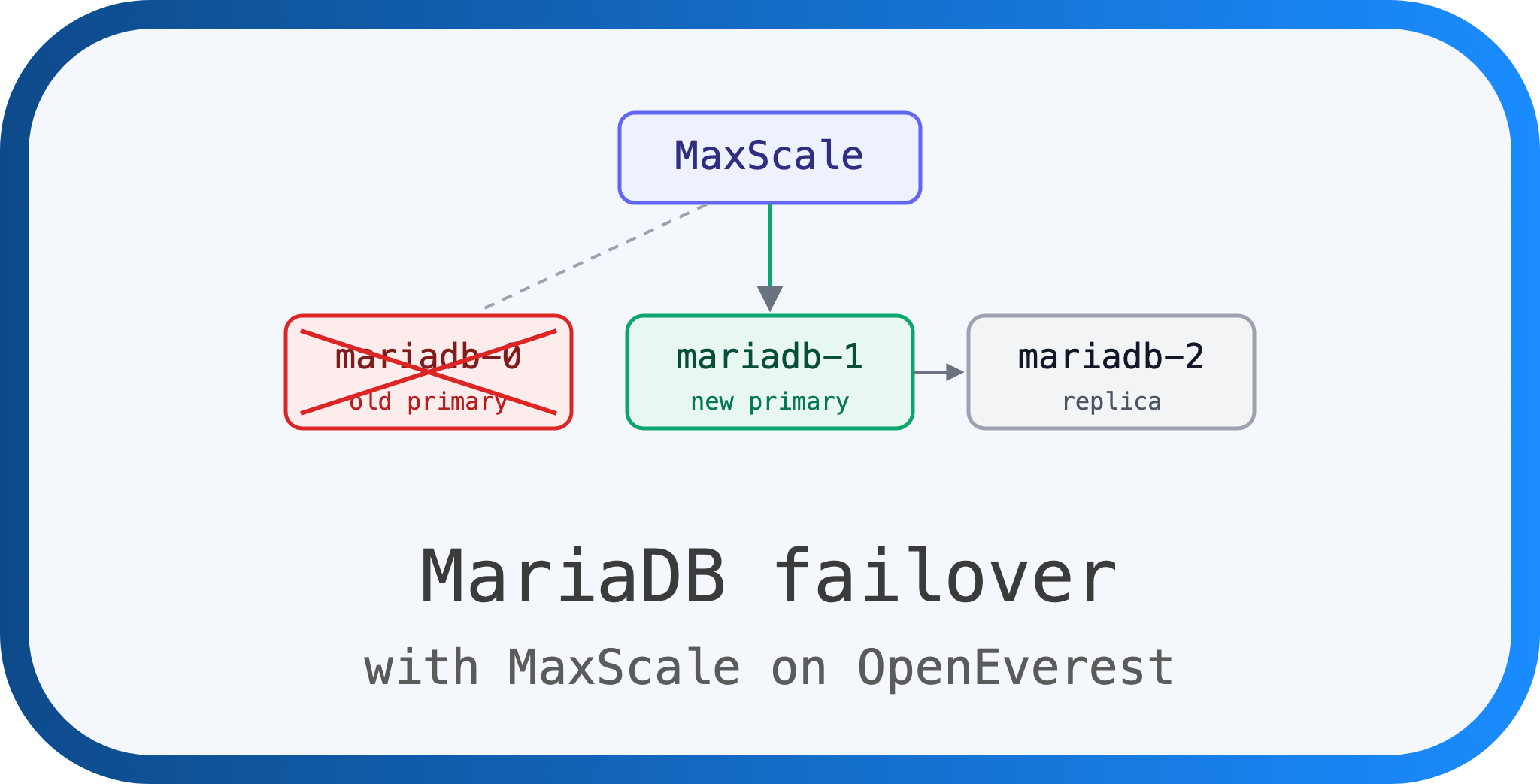
High availability. Two shapes, both driven by mariadb-operator: synchronous multi-master Galera (odd node count, default 3) and asynchronous primary/replica replication (default 3). Failover, recovery, and promotion are handled by the operator.
Data protection. On-demand and scheduled backups are wired in, both logical (mariadb-dump) and physical (mariadb-backup / VolumeSnapshot), along with restore. Point-in-time recovery is the one piece still on the way.
Security and configuration. TLS is on by default with operator-managed certificates. Custom my.cnf tuning is exposed through the engine configuration parameter, and monitoring is a single opt-in component that deploys mysqld-exporter and a Prometheus ServiceMonitor.
Storage. Persistent volumes are sized per instance and can be expanded when the StorageClass allows it.
Pick a topology
MariaDB gives you three shapes depending on how much availability you need. Switch between them below to see how the cluster is laid out.
Deploy it with the v2 dev.2 release
The workflow below assumes a Kubernetes cluster you can reach with kubectl. I used a local cluster; the steps are identical on a managed one.
Note: OpenEverest v2-dev.2 is a developer preview. It is not feature-complete and is meant for testing and feedback, not production. Expect breaking changes between preview releases.
1. Install OpenEverest v2
Follow the quick install guide to get the core CRDs and controller into your cluster. The provider needs the OpenEverest core to be present — installing the provider on its own does nothing.
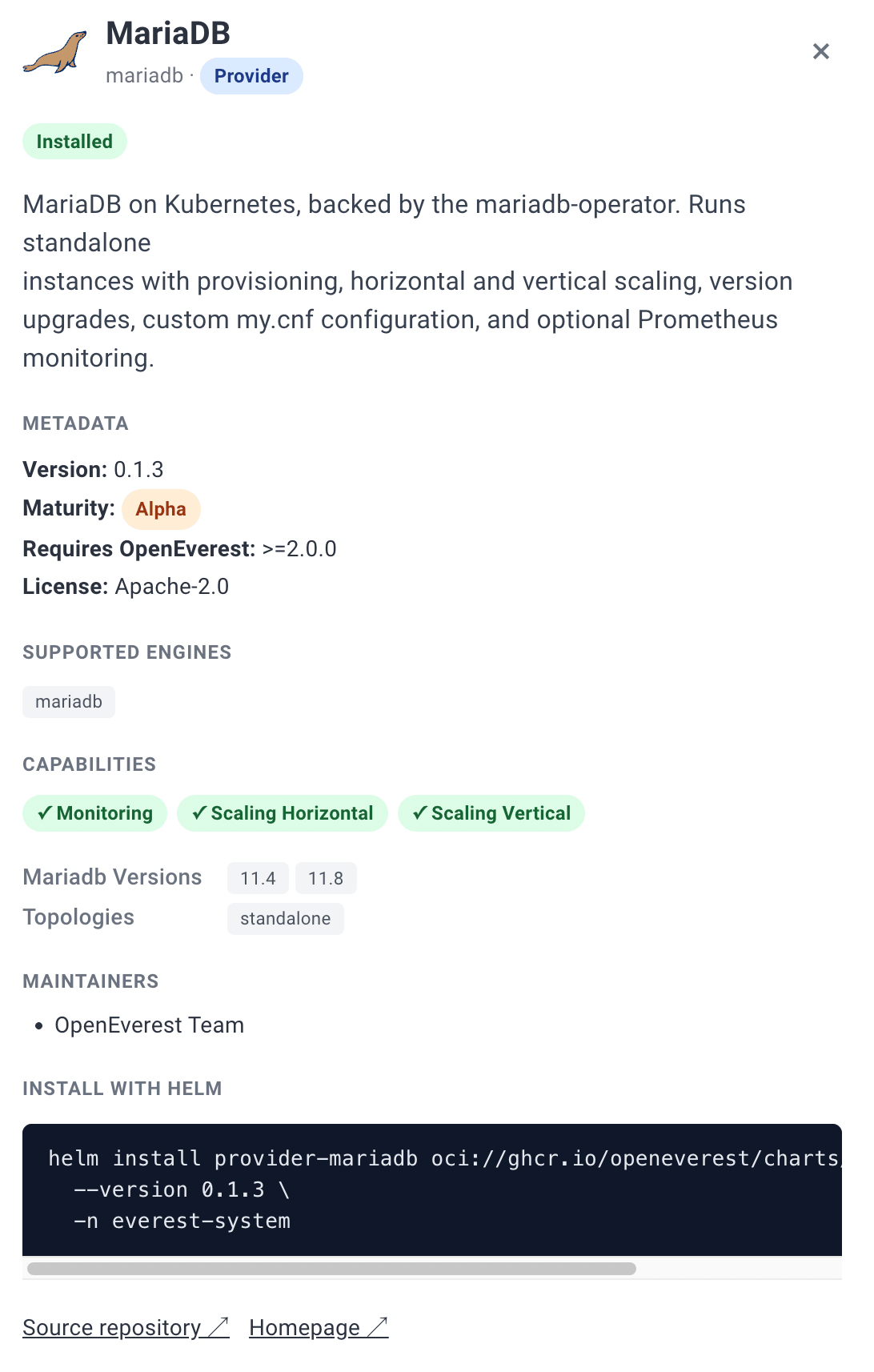
2. Install the MariaDB provider
The provider chart is published as an OCI artifact and bundles mariadb-operator (and its CRDs) as a dependency, so a single install brings up everything:
helm install provider-mariadb \
  oci://ghcr.io/openeverest/charts/provider-mariadb \
  --namespace everest-system
Confirm the provider registered itself with the core:
kubectl get providers mariadb
3. Create a MariaDB instance in the UI
Open the OpenEverest UI and start the create-database flow. MariaDB now shows up as a selectable engine.
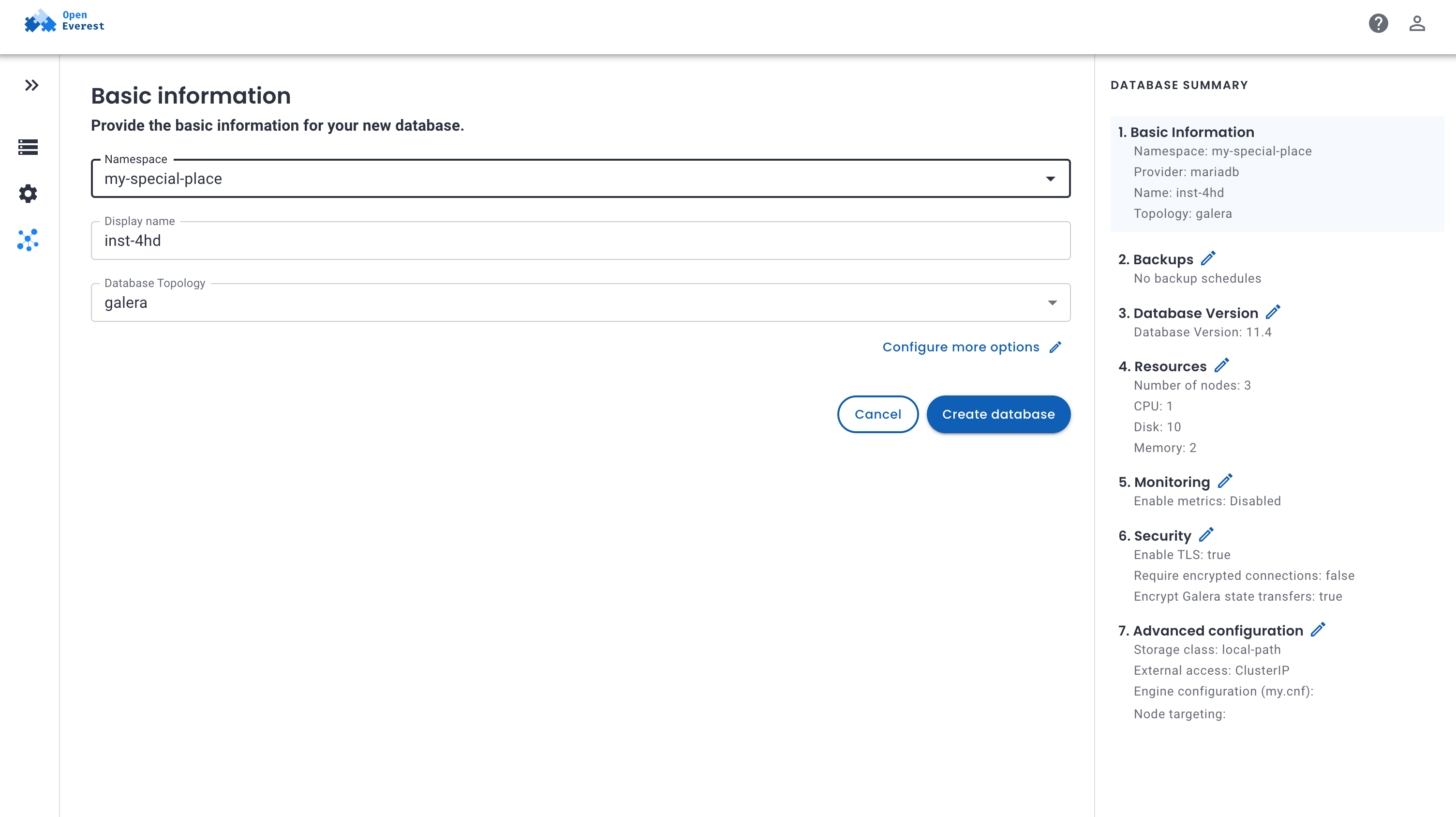
Pick the topology (standalone, Galera, or replication), size the nodes, and set storage. The UI is generated from the provider’s own schema, so the options you see are exactly what the provider supports.
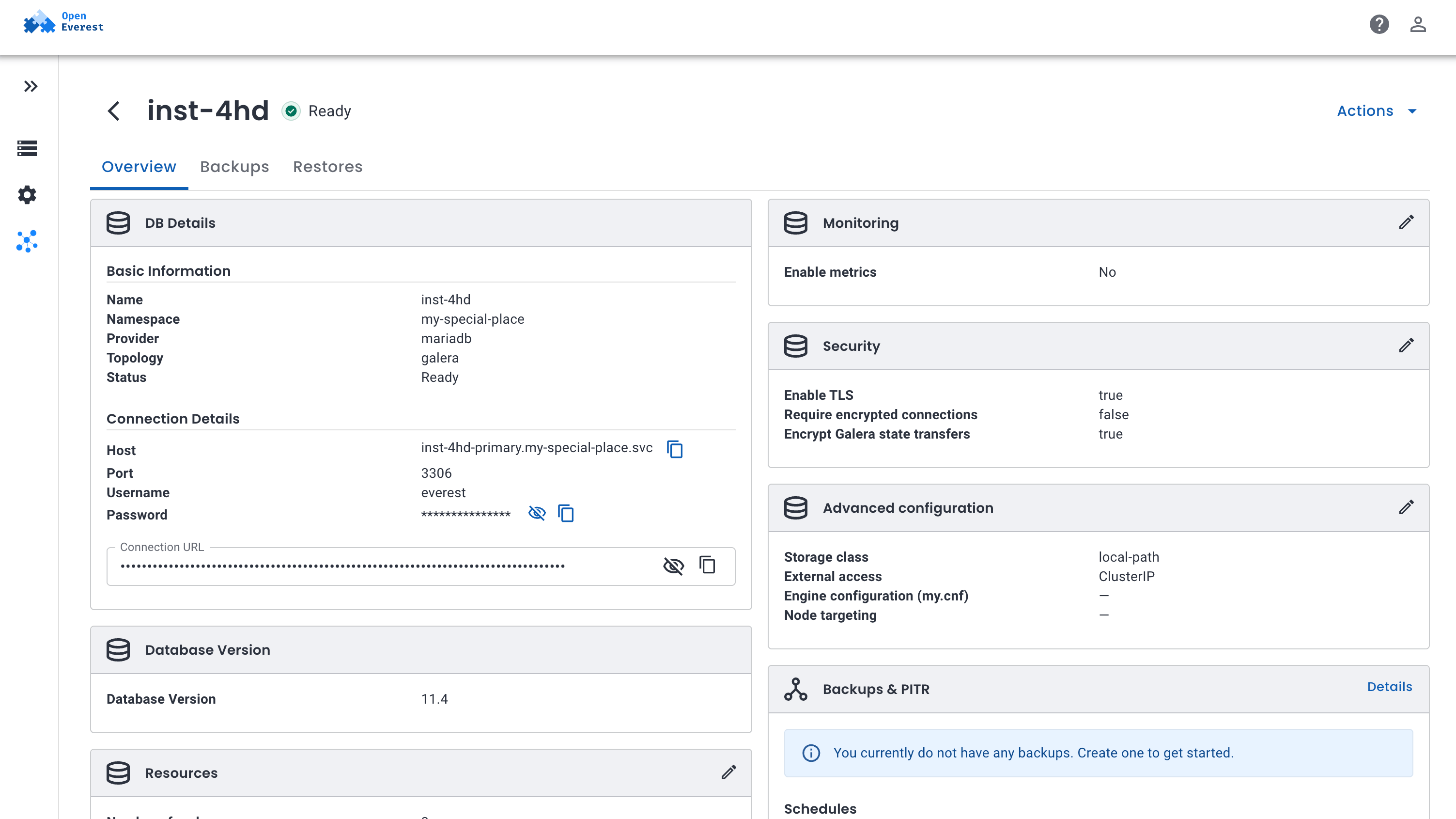
Submit the wizard and watch the instance come up on the Overview page.
Prefer YAML? Create the Instance directly
The UI ultimately creates an Instance resource. You can apply the same thing yourself:
apiVersion: core.openeverest.io/v1alpha1
kind: Instance
metadata:
  name: my-instance
spec:
  providerRef:
    name: mariadb
  topology:
    type: galera
  components:
    engine:
      type: mariadb
      replicas: 3
      resources:
        requests:
          cpu: 500m
          memory: 2G
      storage:
        size: 10Gi
spec.version and spec.topology are optional — the provider applies sensible defaults (MariaDB 11.4, standalone) when you omit them.
Watch it reconcile and read the connection details:
kubectl get instance my-instance -w
kubectl get instance my-instance -o jsonpath='{.status.connectionSecretRef.name}'
The host, port, username, password, and connection URI all live in the connection Secret named by .status.connectionSecretRef.name.
The parts worth calling out
TLS is on by default. The operator issues and manages certificates, and the connection Secret carries tls: "true" plus the CA bundle in ca.crt so clients can verify the server. Unencrypted connections are still accepted by default for migration compatibility; to reject them, set the engine parameter tls.required: true. Galera deployments also encrypt state snapshot transfers by default.
Tuning MariaDB is a parameter, not a fork. The engine’s configuration parameter is passed straight through as my.cnf, so anything you would normally set in a MariaDB config file is available without leaving the Instance API.
Monitoring is opt-in. Enable the monitoring component and the provider deploys mysqld-exporter alongside a Prometheus ServiceMonitor (requires the monitoring.coreos.com CRD in your cluster).
What’s not there yet
The gap today is point-in-time recovery. mariadb-operator already supports PITR natively through continuous binlog archival, so exposing it through the OpenEverest Instance API is provider wiring rather than new operator capability — it is next on the list. On-demand backups, scheduled backups (logical and physical), and restore are already available.
Credit where it’s due
The entire MariaDB lifecycle here — replication, Galera recovery, TLS, rolling updates — is powered by mariadb-operator. It is a well-designed, actively maintained operator, and OpenEverest is a thin, technology-agnostic layer on top of it rather than a replacement. If you run MariaDB on Kubernetes, it is worth a star.
Tell us what breaks
What the provider for MariaDB and OpenEverest v2 need today is feedback. Try it out, let us know what breaks and help us make it better.
- Provider source and issues: openeverest/provider-mariadb
- Build your own provider: PROVIDER_DEVELOPMENT.md
Join the Community
- Contribute: Check out our Good First Issues and repositories.
- Chat: Join the conversation in the CNCF Slack (channel: #openeverest-users).
- Explore: See how we’re simplifying databases at openeverest.io/#community.

 Mike Teddy Omondi