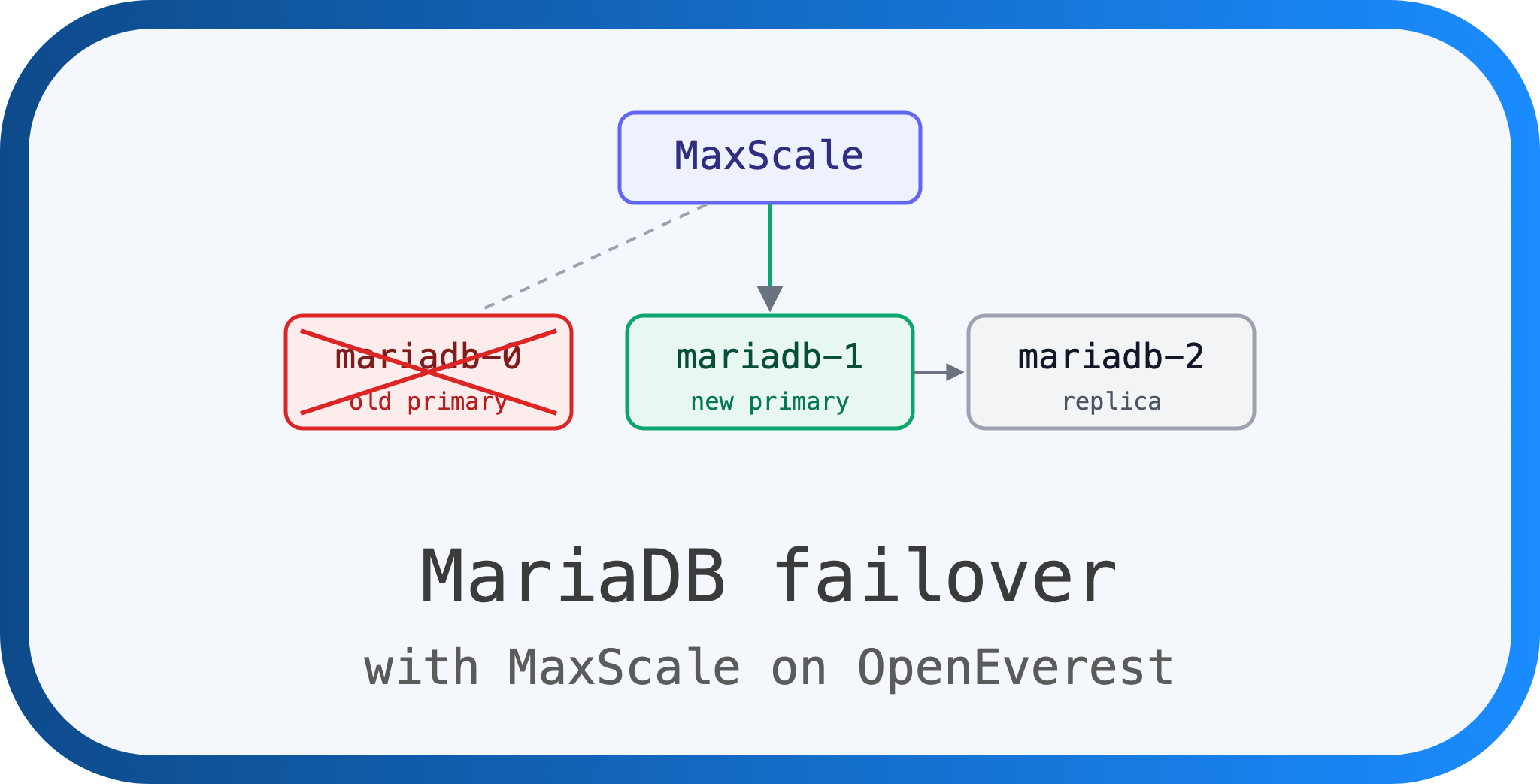
Breaking MariaDB on Purpose: Failover with MaxScale on OpenEverest
 Sergey Pronin
Recently we added MariaDB MaxScale support to provider-mariadb. You set enabled: true on the proxy component, and OpenEverest puts MaxScale in front of your Galera or replication cluster. Clients get one endpoint, and MaxScale sends writes to the primary and spreads reads across replicas.
Soon after, a contributor left a detailed comment on the original issue. They had tested MaxScale with mariadb-operator and saw a race: MaxScale promotes a replica, and a moment later the operator turns it back into a read-only replica. The result is a cluster with no writable primary. The advice was to keep MaxScale’s automatic failover on and to have a manual recovery plan ready.
Our provider does the opposite and turns MaxScale’s failover off. So either we got it wrong, or we are looking at different setups. I wanted to see it myself, so I deployed a cluster and started killing primaries.
The setup
- LKE cluster, 6 nodes, Kubernetes 1.36
- OpenEverest v2.0.0-dev.4
provider-mariadbwith mariadb-operator 26.10.1- MariaDB 12.3, MaxScale 23.08
- Replication topology: 3 MariaDB nodes, 2 MaxScale pods
The Instance is the same one you would create from the UI. The only MaxScale-specific part is this:
    proxy:
      replicas: 2
      parameters:
        enabled: true
Who is in charge of failover
This is the most important question in this setup. There are two components that know how to promote a replica: mariadb-operator and MaxScale’s mariadbmon monitor. If both try to do it at the same time, you get the race from the issue.
mariadb-operator supports both models. Click through them:
The MariaDB resource references MaxScale through spec.maxScaleRef. The operator then switches off its own failover and leaves it to MaxScale (auto_failover=true, auto_rejoin=true).
- MaxScale promotes a replica on its own schedule.
- The operator still reconfigures replicas, and nothing tells it that MaxScale just promoted one. This is where the race from the issue comes from: the freshly promoted node can be pointed back at the dead primary and set to read-only.
- If you switch MaxScale's failover off in this mode, nobody promotes anything. The primary dies and the cluster stays without one.
That is the setup the issue comment describes, and the advice in it makes sense for it.
The MariaDB resource does not reference MaxScale. The operator keeps its own failover, exactly as without a proxy. MaxScale gets auto_failover, auto_rejoin and switchover_on_low_disk_space set to false.
- Only the operator promotes, demotes and sets
read_only. - MaxScale watches the servers and routes traffic to whatever the operator made the primary.
- There is one decision maker, so there is nothing to race with.
This is what provider-mariadb does. Turning MaxScale's failover off does not leave you without failover, because the operator still has it.
So we were not looking at the same setup. The rest of the post is about whether the “operator owns failover” model holds up in practice.
How I tested
I needed two things: a client that tells me exactly when writes stop and start, and a way to check that no data is lost.
The client is a small pod that connects through the MaxScale Service every half a second. Each time it opens a new connection, inserts a row in a transaction and asks which host it landed on. It only logs changes, so the output looks like this:
08:01:18.363 OK mdb-mxs-0
08:01:45.968 ERR ERROR 1815 (HY000): Internal error: Session creation failed
08:02:08.079 OK mdb-mxs-1
Next to it I had a script polling the operator status, both MaxScale pods and read_only plus replication state on every MariaDB node. After every run I compared a checksum of the table across all three nodes.
The scenarios:
- Graceful delete of the primary pod (
kubectl delete pod). MariaDB shuts down cleanly, and Kubernetes starts the pod again right away. - Force delete of the primary pod (
--grace-period=0 --force). - Kill one of the two MaxScale pods.
- The same graceful delete without MaxScale, as a control.
- A planned switchover, which the operator does during a rolling update.
The numbers
This is the time between the first failed write and the first successful write after it. The client polls every 0.5 s, so take the decimals with a grain of salt. Tap or click a row for details.
MaxScale pod killed (1 of 2)0 s
Clients connect through the Service, so they just land on the other MaxScale pod. Not a single failed write.
Force delete primary3.6 s
The fastest run. Writes were back in under 4 seconds, with one more failed write in between.
Planned switchover13.8 s
Planned switchover during a rolling update. The operator locks the old primary, waits for the replica to catch up and only then promotes it.
Force delete primary16.5 s
Same scenario, but this time the old pod came back before the promotion finished. With the fixed provider it came back read-only.
Graceful delete primary20.0 s
Plus one extra failed write a few seconds later, when the second MaxScale pod caught up.
Graceful delete primary22.1 s
With the fixed provider (nodes boot read-only).
Graceful delete primary24.9 s
The run where the restarted old primary came back writable and MaxScale briefly picked it as primary. See below.
Graceful delete primary, no MaxScale32.8 s
No MaxScale. Clients use the primary Service directly. Only one run, so don't read too much into the difference.
A few things stand out:
- Failover works. In every run the operator picked the most advanced replica, promoted it, and MaxScale started routing writes to it.
- MaxScale is not the slow part. It usually followed the operator’s promotion within 1 to 3 seconds. Most of the time goes into the operator noticing the failure and running the switchover steps.
- The spread is wide. Anything from 3.6 to 25 seconds for an unplanned failover. It depends on timing: how fast the operator notices, and whether the old pod comes back in the middle of the switchover. This is a handful of runs, not a benchmark.
- Losing a MaxScale pod is a non-event with two replicas.
And the data?
For me this is the important part. In every run, the table checksum matched on all three nodes. No acknowledged write was lost, and no write ended up on one node only. The operator enables semi-synchronous replication by default, so a commit on the primary waits until at least one replica has the transaction. That is what makes promoting a replica safe. One caveat: if no replica answers within the timeout (10 seconds by default), the primary falls back to asynchronous replication. It never happened in my tests, but it is the thing to keep in mind when you think about losing data.
What was breaking
The happy path is fine, but two things happened after the failover that I did not like. The easiest way to show them is to walk through the slowest graceful delete run (the red bar above) second by second. This run was done before the fix.
MaxScale: primary is mariadb-0. Writes: failing
I delete the primary pod. MariaDB shuts down cleanly. Clients in the middle of a transaction get an error.
MaxScale: no primary, "Couldn't find suitable Primary". Writes: failing
The operator sees that the primary pod is not ready, picks the replica with the most data (mariadb-1) and starts the switchover.
MaxScale: no primary. Writes: failing
Kubernetes has already restarted the old primary's pod. MariaDB does not remember read_only across a restart, so the node boots writable, with no replication configured. To anyone looking at it, it is a standalone primary.
With the fix: mariadb-0 boots read-only and stays that way until the operator decides what it is.
MaxScale: primary is mariadb-0 (the old one)
This is the scary moment. MaxScale has no primary, sees a writable node with no replication, and picks it: master_up [Down] -> [Master, Running]. For about a second, any write MaxScale routed would land on a node that is about to be thrown out of the cluster. In my run no write got there, but nothing prevented it.
With the fix: this step does not happen. A read-only node is never picked as primary.
MaxScale: primary is mariadb-0, about to change
The operator finishes: mariadb-1 becomes writable, mariadb-2 replicates from it, mariadb-0 gets read_only and is pointed at the new primary.
MaxScale: primary is mariadb-1. Writes: OK
MaxScale notices that mariadb-0 is read-only, switches to mariadb-1, and writes resume. 25 seconds in total.
MaxScale: primary is mariadb-1. Writes: OK, but only 2 of 3 nodes
The old primary never catches up. Its replication fails with error 1236, "the slave has diverged", its startup probe fails, and the pod restarts again and again. The cluster serves traffic, but it has lost a node, and it will not get it back without help.
So there are two separate problems here. Open the cards for the details.
Avoided by design MaxScale and the operator racing each other
What happens: MaxScale promotes a replica, and the operator reconfigures it back into a read-only replica. You end up with no writable node.
Where: only when MaxScale owns failover (maxScaleRef set, auto_failover=true).
Status: the provider never sets maxScaleRef and keeps MaxScale's failover off. In all my runs MaxScale did not run a single failover or rejoin by itself. It only followed. The upstream issue for the other mode is open.
Fixed A restarted primary boots writable
What happens: the old primary comes back after a restart with read_only=OFF and no replication. Until the operator gets to it, it looks exactly like a primary. MaxScale picked it once in my tests.
Why it matters: any write that lands there is a write the new primary will never see. That is real divergence, the kind you only find out about later.
Fix: the provider now sets semiSyncBootAsReplica: true on replication clusters. Every node boots read-only with primary-side semi-sync off, and the operator makes only the actual primary writable. I repeated the failover tests with this change, and the restarted old primary stayed read-only every time. MaxScale never marked it as primary.
Upgrade note: the setting changes the pod template, so the first provider upgrade does one rolling restart of every replication cluster. The operator restarts the replicas first and switches the primary over last. In my test that was one write pause of about 14 seconds, plus a 1 to 2 second blip when each replica restarted. Plan the upgrade for a quiet time.
Pending upstream The old primary cannot rejoin after failover
What happens: after an unplanned failover, the old primary tries to replicate from the new one and fails with error 1236: "connecting slave requested to start from GTID 0-10-421, which is not in the master's binlog ... the slave has diverged". The pod crash-loops and the cluster runs on 2 of 3 nodes.
The node has not diverged. I decoded the old primary's binary log: GTID 0-10-421 was a normal insert, and the new primary had applied it before it was promoted. The data matched.
Why it fails anyway: replicas don't write replicated events to their own binary log (log_slave_updates is off), and when the operator promotes a replica it clears that node's gtid_slave_pos. After that the new primary has no record that it ever applied 0-10-421, and MariaDB refuses the connection. During a planned switchover the operator handles this. After an unplanned failover it doesn't.
Not MaxScale's fault: I reproduced it on a cluster without MaxScale. Same error.
Status: reported as mariadb-operator#1948. Until it is fixed, see the manual recovery below.
Minor The two MaxScale pods don't agree for a few seconds
Each MaxScale pod monitors the servers on its own. In one run one pod switched to the new primary 5 seconds after the other one, which cost one extra failed write. It is a small thing, but it explains the occasional extra blip.
On our list Instance status says "Provisioning" while a node is stuck
When the old primary is crash-looping, the operator marks the MariaDB as not ready, and OpenEverest shows the instance as Provisioning. The database is serving reads and writes at that point, so the status is misleading. We plan to fix it in the provider.
Manual recovery
Until the upstream fix lands, a stuck former primary needs a hand. The recipe below worked every time in my tests, but it is only safe when two things are true. If you are not sure about either of them, don’t run it.
- The stuck node has nothing the new primary is missing. Compare a checksum of your important tables, or at least row counts and the latest rows. If the node really diverged, this recipe would hide the problem.
- The new primary’s binary log starts at its promotion. Look at the first GTID in its oldest binary log (
SHOW BINARY LOGS, thenSHOW BINLOG EVENTS IN '<oldest file>'). Its sequence number must directly follow the stuck node’s last GTID. In my case the stuck node stopped at0-10-421and the new primary’s log started at0-11-422. If the new primary still has binary logs from an earlier time when it was primary, the recipe would replay old transactions.
If both hold, run this on the stuck node:
STOP SLAVE;
RESET MASTER;
SET GLOBAL gtid_slave_pos='';
CHANGE MASTER TO MASTER_USE_GTID=slave_pos;
START SLAVE;
RESET MASTER drops the node’s own binary log, which is what confuses the new primary. With an empty position, the node starts replicating from the beginning of the new primary’s binary log, which is exactly the promotion point. Within a minute the pod becomes ready and the operator takes it from there.
One thing not to do: don’t delete the stuck node’s volume and expect the operator to rebuild it. New replicas are seeded from a physical backup, and without one configured there is nothing to copy the data from.
The cleaner path is to let the operator rebuild the replica from a physical backup. mariadb-operator can do this automatically (replica recovery), but it needs backup storage configured. We are looking into turning it on in the provider when backup storage is available.
Practical advice
If you run MariaDB replication with MaxScale on OpenEverest:
- Leave MaxScale’s failover settings alone. The provider sets them on purpose. In our model the operator owns failover, and MaxScale only routes traffic.
- Upgrade the provider to get
semiSyncBootAsReplica, and plan for one rolling restart. - Watch for a MariaDB pod in
CrashLoopBackOffwith error 1236 in its logs after a failover. It means the cluster runs with one node less than you think. - Run two MaxScale pods. That is the default, and losing one costs nothing.
- Expect up to 25 seconds of failed writes on an unplanned failover, and make sure your application retries.
What’s next
The most important missing piece is mariadb-operator#1948. Once it is fixed upstream, the old primary will rejoin on its own, and we will pick up the new operator version in the provider. On our side, we will fix the misleading status and look into automatic replica recovery.
If you try this yourself and see different behavior, please comment on the issue or open a new one. Failover bugs mostly show up under timing nobody has tried yet, so every report helps.
Try It Yourself
- Install: Follow the quick install guide to get OpenEverest v2 running in your cluster.
- MariaDB: Learn more about MariaDB on OpenEverest, or go straight to the provider-mariadb repository.
- Chat: Join the conversation in the CNCF Slack (channel: #openeverest-users).

 Mike Teddy Omondi